







From Blank Page to First Draft in Minutes
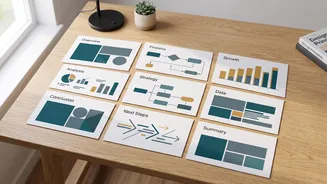
The biggest hurdle in any presentation is often just getting started. AI design tools conquer the blank page by generating an entire presentation from a single prompt. A student can enter a topic like "The economic impact of the Green Revolution in India"
or paste an outline from their notes, and the AI will create a structured set of slides. It automatically organizes the information into a logical flow, with an introduction, key points on separate slides, and a conclusion. This process transforms hours of initial setup and structuring into a task that takes mere minutes, providing a solid first draft that students can then refine.
An End to Cluttered, Inconsistent Design
Not every student is a natural designer. This often leads to slides that are cluttered with too much text, have clashing colors, or use inconsistent fonts. AI presentation makers solve this by acting as an automated design expert. The AI applies established design principles to ensure every slide is balanced, readable, and visually appealing. It automatically selects complementary color palettes, professional fonts, and clean layouts, ensuring the entire presentation looks cohesive and polished. Students no longer need to manually tweak every text box or worry about alignment, as the tool handles the visual consistency for them.
Content and Visuals on Command
A great presentation balances text with compelling visuals. However, finding relevant, high-quality images can be a time-consuming distraction. Many AI tools integrate image generation and stock photo libraries directly into the workflow. Based on the text on a slide, the AI can suggest or even create relevant images, icons, and charts to illustrate key points. This not only makes the slides more engaging but also helps students visualize their arguments more effectively. Some platforms can even generate text to flesh out bullet points or summarize complex ideas, helping students overcome writer's block.
Popular Tools to Get You Started
The market for AI presentation tools is growing, but a few have become popular in educational settings. Tome: This tool excels at creating narrative-driven, interactive presentations that function almost like a webpage. Users input a prompt, and Tome generates a complete story with both text and AI-generated images. It's great for projects that require a strong storytelling element. Gamma: Often praised for its speed and flexibility, Gamma can create presentations, documents, or webpages from your notes. It focuses on creating clean, interactive content that is easy to edit and share, making it highly practical for lecture notes and group projects. Beautiful.ai: This tool focuses on applying design rules automatically to ensure slides always look professional. It has a specific education plan that gives students free access to its Pro version, making powerful design features accessible for class projects and thesis presentations.
Focus on What Truly Matters: Your Ideas
Perhaps the most significant benefit of using these tools is the time and mental energy it frees up. By automating the tedious aspects of slide design and formatting, AI allows students to dedicate more time to what's truly important: the content of their presentation. They can spend more hours on research, refining their arguments, checking facts, and practicing their delivery. The technology handles the 'how it looks' part, empowering students to focus on the 'what it says' and 'how you say it'. This shift leads not only to better-looking slides but to more thoughtful, well-researched, and confidently delivered presentations.