





The Urban Stargazer's Dilemma
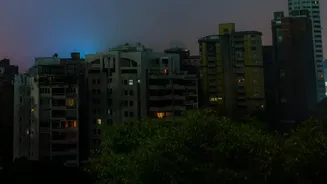
Anyone who has looked up at the night sky from a major city knows the feeling of disappointment. Where there should be thousands of twinkling stars, there's often just a hazy, orange-tinged glow with only a few of the brightest celestial bodies breaking
through. This phenomenon is called light pollution, the result of excessive artificial light from streetlights, buildings, and cars scattering in the atmosphere. This 'sky glow' acts like a luminous blanket, washing out all but the most brilliant stars and planets. For aspiring astronomers in urban areas, this can make finding even well-known constellations feel like an impossible task.
Your Pocket Planetarium
This is where stargazing apps enter the picture, turning your smartphone into a powerful tool for navigating the night sky. These applications use your phone's built-in technology to create a real-time, interactive map of the cosmos. By simply pointing your device towards the sky, the app can identify stars, constellations, planets, and even satellites like the International Space Station. They act as a digital guide, removing the guesswork and revealing the celestial map hidden behind the city's glare.
How the Magic Works
The technology behind these apps is a clever fusion of hardware and software. First, your phone’s GPS determines your exact location on Earth. Next, its internal compass and gyroscope figure out the precise direction and angle you're holding the device. The app then takes this data and cross-references it with a vast astronomical catalog containing the positions of thousands of celestial objects. Many apps use augmented reality (AR) to overlay this star map directly onto your camera's view of the sky, showing you exactly what's there, even if your eyes can't see it clearly.
Cutting Through the Glow
While these apps can't physically remove light pollution, they overcome it with information. Their primary function in a city is to tell you exactly where to look. Even if a star in a constellation is faint, knowing its precise location allows your eyes to focus on the right spot, increasing your chances of seeing it. Furthermore, many advanced apps include a 'magnitude' filter. Apparent magnitude is the scale astronomers use to measure the brightness of an object. By adjusting this setting, you can tell the app to only display objects bright enough to be visible from your light-polluted location, decluttering the map and showing you a realistic view of what to hunt for.
Top Apps to Get You Started
The number of available apps can be overwhelming, but a few consistently earn high marks from beginners and seasoned astronomers alike. SkyView Lite is a fantastic free option that uses AR to make identification simple and fun. Star Walk 2 is a bestseller known for its beautiful interface and detailed information. For those seeking a highly realistic sky simulation, Stellarium Mobile offers a massive database and is often recommended for its accuracy. Many of these apps also include calendars for celestial events like meteor showers and eclipses, ensuring you never miss a major cosmic event.
Tips for Your First Session
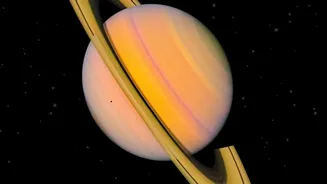
Armed with an app, you're ready to start. For the best experience, try to find a spot with the clearest possible view of the sky, like a park, a rooftop, or an open field. Turn off nearby lights if you can and give your eyes about 15-20 minutes to adjust to the darkness. Focus on bright, easy-to-find targets first. The Moon and visible planets like Jupiter and Saturn are great starting points. For constellations, begin with prominent patterns like Orion (in the winter), the Big Dipper (part of Ursa Major), and the 'W' shape of Cassiopeia. These are bright enough to often punch through even significant city glow.