





The Golden Rule of QR Payments
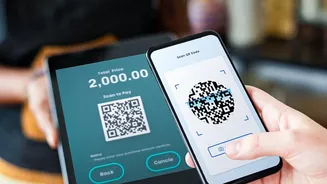
First, understand a fundamental principle of UPI and other digital payments: you only need to scan a QR code to send money, never to receive it. If a shopkeeper, online seller, or anyone else asks you to scan a code and enter your PIN to receive a payment,
a refund, or a prize, it is a scam. Entering your PIN authorises a debit from your account, not a credit into it. Fraudsters exploit this confusion, often creating a sense of urgency to make you act without thinking. Always remember, if you are the one getting money, you do not need to scan anything or enter your secret PIN.
Inspect Physical QR Codes for Tampering
When you're at a new shop, petrol pump, or parking meter, physically inspect the QR code before scanning. Scammers often paste their own fraudulent QR code sticker directly over the merchant's legitimate one. Run your finger over the code; if it feels like a sticker layered on top or looks misaligned with the branding behind it, be suspicious. These fake stickers redirect your payment to the scammer's account instead of the shop's. If anything seems off, ask the shopkeeper to confirm or use an alternative payment method. This simple physical check can prevent a common and costly fraud.
Always Verify Merchant Details Before Paying
After you scan a QR code, your payment app will display the name of the recipient before you approve the transaction. This is a critical security checkpoint. Take a moment to verify that the name displayed on your screen matches the name of the shop or individual you intend to pay. Scammers rely on you to rush through this step. If the name is different, misspelled, or just a random individual's name instead of a business, do not proceed with the payment. Cancel the transaction and alert the merchant that their QR code may have been compromised.
Beware of Links and Phishing Attempts
Not all malicious QR codes are for direct payments. Some are designed for 'quishing' (QR code phishing), where scanning the code takes you to a fake website. This fraudulent site might look like a legitimate bank login page, a payment portal, or an e-commerce site, designed to steal your login credentials, card details, or other personal information. Before you click the link that appears after scanning, preview the URL on your phone's screen. Look for misspellings, strange characters, or unofficial domain names. Avoid using shortened links like bit.ly, as they can hide the true destination. A secure, legitimate site will almost always start with 'https://'.
Use Trusted Apps and Secure Your Phone
Only use official payment applications from trusted sources like the Google Play Store or Apple App Store. Avoid downloading third-party QR scanner apps, which could be malicious. Your phone's built-in camera app is typically the safest tool for scanning. Furthermore, ensure your phone's operating system and your payment apps are always updated to the latest version. These updates often contain critical security patches that protect you from new threats. Never download apps or configuration profiles prompted by a QR code scan, as this could install malware on your device.
What to Do If You Suspect a Scam
If you believe you have scanned a malicious code or authorised a fraudulent payment, act quickly. First, do not approve any further transaction requests. If you've already lost money, immediately call your bank's customer service helpline to report the transaction and request them to freeze the transfer if possible. You should also report the incident on the National Cyber Crime Reporting Portal by calling the helpline number 1930 or visiting cybercrime.gov.in. Reporting the fraud promptly increases the chances of action and helps authorities track down these criminals.