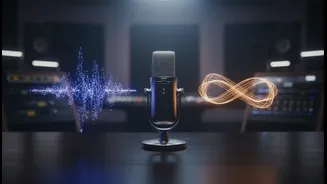






Why an Offline Repository is a Smart Move
In the world of content creation, access to resources is paramount. While online services offer convenience, they also present risks. Platforms can shut down, change their licensing terms, or remove tracks you've previously used, potentially leading to copyright
claims on your older videos. An offline repository, stored on your personal hard drive, makes you immune to these issues. You own the files. They are available 24/7, with or without an internet connection, and they can't be retroactively pulled. This strategy isn't just about storage; it's about building a stable, reliable, and future-proof asset library for your creative business, saving you time and giving you peace of mind.
Sourcing Your Copyright-Free AI Tracks
The first step is finding reliable sources for AI-generated music. Several platforms now offer powerful tools specifically for creators. Services like Suno, Mubert, and Soundraw are popular choices that allow you to generate unique tracks from text prompts or by selecting genres and moods. When evaluating a platform, prioritize those with clear commercial licensing on their paid tiers. Many offer a free or personal-use tier, but for monetized video content, a paid plan is essential to secure the necessary rights. Look for terms like "royalty-free for commercial use" and check if the rights persist even after you cancel your subscription. This ensures that the music you generate and download remains safe to use forever.
Decoding the Licenses: 'Copyright-Free' vs. 'Royalty-Free'
These terms are often used interchangeably, but they mean very different things. Truly "copyright-free" music is in the public domain, meaning no one owns the copyright, and it's free for anyone to use. This is extremely rare for new music. What most AI platforms offer is "royalty-free" music. This means the music is still copyrighted, but by paying a one-time fee (often via a subscription), you are granted a license to use the track without paying ongoing royalties for each play. This is the model you are looking for. Always read the specific terms of the license you acquire; it's a contract that defines exactly how and where you can use the music.
Building the Library: Organization is Key
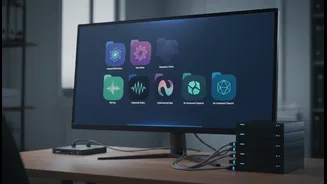
Once you start downloading tracks, chaos can quickly take over. A structured approach is crucial. The best practice is to create a master folder on your hard drive (e.g., "AI Music Library") and then create subfolders based on how you search for music. Many creators find organizing by Mood (e.g., Uplifting, Tense, Ambient) or Use Case (e.g., Intro Music, Background Talk, B-Roll) to be more effective than organizing by genre. A consistent file naming convention is your best friend. A good format might be: `Mood_UseCase_BPM_SourceName_TrackTitle.wav`. For example: `Uplifting_Intro_120bpm_Suno_SunriseFade.wav`. This makes your library searchable and easy to browse directly from your file explorer or video editing software.
Managing Metadata and Backups
For an extra layer of security, consider creating a simple spreadsheet to track your assets. List the filename, the source platform, the date you generated it, and a direct link to the platform's licensing terms at that time. This creates a paper trail that can be invaluable if a copyright question ever arises. Finally, protect your new library from digital disaster by following the 3-2-1 backup rule: have at least three copies of your data, on two different types of media (like your main hard drive and an external drive), with one copy stored off-site (such as in cloud storage). This ensures that the time and money you've invested in building your repository are never wasted.