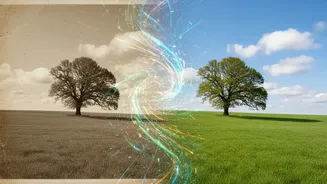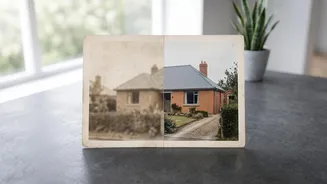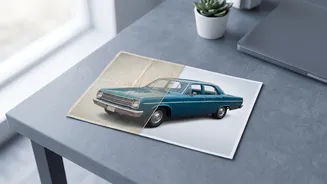

The Problem with Old Photos
Every family has them: stacks of aging photo albums or a shoebox filled with moments captured on film. These physical prints are precious, but they are also fragile. Over the decades, they fall victim to creases from being folded, fine scratches from being stacked,
and a general fading of colour and detail. Low-resolution prints from older cameras can appear soft or blurry by today's standards. Historically, fixing this damage required a trained professional, hours of painstaking digital work, and a significant budget. For most people, it was easier to accept the damage and let the memories slowly degrade in a drawer. That reality has changed dramatically, thanks to the accessibility of artificial intelligence.
How AI Comes to the Rescue
Modern AI photo restoration feels like magic, but it’s powered by sophisticated technology. These tools use deep learning models that have been trained on millions of pairs of damaged and pristine images. This training teaches the AI to understand what a natural photograph should look like, from the texture of skin to the way light falls on a background. When you upload a damaged photo, the software doesn't just apply a simple filter. Instead, it analyzes the content and intelligently reconstructs the image based on what it has learned, filling in gaps and correcting flaws with a high degree of realism. This allows it to perform several complex restoration jobs at once, often in just a few seconds.
Erasing Creases, Folds, and Scratches
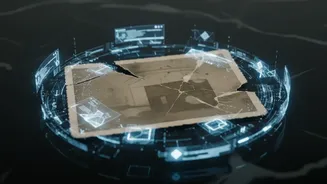
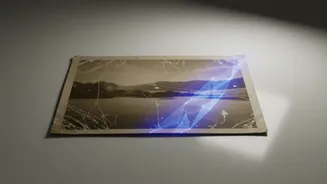
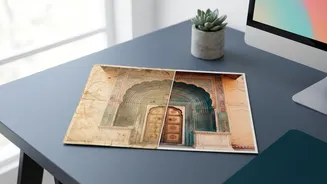
One of the most impressive feats of AI restoration is its ability to handle physical damage. When a photo is creased, folded, or scratched, parts of the image are physically destroyed. AI models use a technique called 'inpainting' to fix this. The algorithm identifies the damaged area—the white line of a crease or the black mark of a scratch—and then intelligently fills it in with new pixels that seamlessly match the surrounding content. For example, if a crease runs through a patterned shirt, the AI can regenerate the fabric's pattern. If it crosses a face, it can reconstruct the missing skin texture. This process effectively ceases the damage, making the photo look whole again.
Boosting Resolution and Clarity
Many old photos, especially small prints, lack the sharpness and detail we expect today. AI upscaling tools can dramatically enhance resolution. Unlike traditional digital zoom, which just makes pixels bigger and creates a blocky image, AI upscaling intelligently generates new detail. The software analyzes the low-resolution image and, based on its training, predicts what a higher-resolution version would look like, adding texture to hair, sharpening soft facial features, and clarifying blurry backgrounds. This process can transform a small, grainy scan into a crisp image that’s suitable for printing and framing at a much larger size.
Your Digital Restoration Toolkit
Getting started with AI photo restoration is easier than ever, with tools available for all skill levels. Adobe Photoshop now includes a 'Photo Restoration' Neural Filter that automates much of the repair process with a few clicks. For those seeking a dedicated solution, Topaz Labs' Photo AI is highly regarded for its ability to reduce noise, sharpen details, and enhance resolution, all within one application. There are also numerous online tools and mobile apps, like Canva, Remini, and Picsart, that offer one-click restoration features, making it simple to fix photos directly from your phone or web browser.
Tips for the Best Results
To get the most out of these powerful tools, a little preparation goes a long way. The restoration process starts with a good quality digital copy. Using a flatbed scanner at a high resolution (600 DPI is recommended for photos you may want to enlarge) will give the AI the most data to work with. If you don't have a scanner, you can use a scanner app on your phone, but be sure to place the photo on a flat, evenly lit surface to avoid glare and distortion. While AI can perform wonders, it's important to have realistic expectations. Extremely severe damage might not be fully repairable, and AI can sometimes invent details, especially in faces, that weren't there originally. Always save your original scan as a backup.