





The Golden Rule of UPI Safety
The single most important rule to remember is this: you never need to enter your UPI PIN to receive money. Your PIN is a secret key that authorises money to leave your account, not to enter it. Scammers often exploit this misunderstanding. They might
send you a request disguised as a payment, refund, or prize, hoping you will approve it and enter your PIN, which actually sends them your money. If anyone asks you to enter your PIN to complete a payment you are supposed to be receiving, it is a scam.
Understanding the ‘Collect Request’ Scam
A 'collect request' or 'request money' feature is a legitimate part of UPI, designed for merchants or individuals to request payment. However, fraudsters have turned it into a weapon. They will send you a payment request, often with a deceptive message like “Your refund of ₹5,000 is approved” or “Click to receive your cashback.” When you tap the notification and approve the transaction by entering your PIN, you are not receiving money; you are authorising a payment to the scammer. Always read the details of any request carefully before approving. The screen will clearly state whether you are about to 'Pay' or 'Receive'.
Red Flag: Pressure and Fake Urgency
Scammers thrive on creating a sense of urgency or panic. They might call or message you, pretending to be from your bank or a service provider, warning that your account will be blocked unless you take immediate action. This is a social engineering tactic designed to make you act impulsively without thinking. Legitimate companies and banks will not pressure you into making instant financial decisions over the phone. If a request feels rushed or comes with threats, it’s a major red flag. Pause, take a moment to think, and independently verify the situation through official channels.
Red Flag: Unfamiliar Senders and Strange Details
Before approving any transaction, scrutinise the sender's details. Does the name look professional and match the company it claims to be from, or is it a random personal name or a series of jumbled letters? Fraudulent requests often contain spelling errors, poor grammar, or unusual phrasing. Also, check the UPI ID. Scammers sometimes create IDs that mimic well-known brands but have slight misspellings. Always verify the recipient's name displayed on the final confirmation screen before entering your PIN.
Watch Out for QR Code Scams
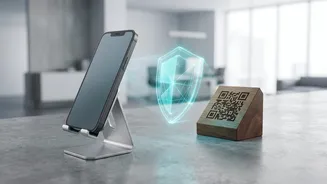
A popular variation of the payment request scam involves QR codes. A fraudster might send you a QR code via WhatsApp or another messenger, claiming you must scan it to receive a payment. However, scanning a QR code is exclusively for making payments. When you scan the code and enter your PIN, you are sending money from your account, not receiving it. This trick is often used in online marketplaces, where a fake buyer will send a QR code to the seller to “pay” for an item, but instead tricks the seller into paying them.
Other Common UPI Scams to Know
Beyond collect requests, be aware of other common tactics. Phishing scams involve fake links sent via SMS or email that lead to websites designed to steal your PIN and other details. Fake customer support numbers planted on social media or search results are another trap; the “agent” will try to trick you into installing screen-sharing apps to gain control of your device. Also, be wary of SIM swap fraud, where criminals get a duplicate of your SIM card to intercept OTPs and gain access to your accounts.
What to Do If You Spot a Scam or Become a Victim
If you receive a suspicious request, decline it immediately and use the 'Report' or 'Block' feature within your UPI app. If you have been a victim of fraud, time is critical. Immediately report the transaction to your bank to try and block the transfer. Then, call the National Cyber Crime Reporting Helpline at 1930 and file a formal complaint on the National Cyber Crime Reporting Portal at www.cybercrime.gov.in. Also, report the fraudulent transaction directly within your UPI app's support section.