




The Familiar First Step: Reverse Image Search
Before diving into newer methods, it is crucial to master the basics. Reverse image search is your first line of defense against misinformation. Instead of using keywords to find a picture, you use a picture to find information about it. Tools like Google
Lens, TinEye, and Bing Visual Search let you upload an image or paste its URL to see where else it has appeared online. This simple action can reveal a lot. For example, you can see if a photo from a supposed 'recent' event was actually published years ago. By sorting results by 'oldest', TinEye is particularly effective at finding an image’s first appearance. This process is invaluable for spotting photos used out of context, which is one of the most common forms of misinformation. However, reverse image search has its limits. It can only find images that are already indexed online. It is often ineffective for brand-new AI-generated images that have not spread yet. For that, you need a deeper look.
The Next Level: Understanding Image Provenance
Provenance refers to the verifiable history of a digital file. Think of it as a tamper-evident digital birth certificate that travels with an image. This new layer of verification is being driven by the Coalition for Content Provenance and Authenticity (C2PA), a group of major tech and media companies including Adobe, Google, and Microsoft. Their open standard allows cameras, editing software, and AI generators to attach a secure, cryptographically signed record of an image's lifecycle. This record, called a 'Content Credential' or 'manifest', can show who or what created the image, when it was made, and what tools were used for any edits. Unlike traditional metadata, which is easily stripped or altered, Content Credentials are designed to be tamper-evident. If the image is changed without being recorded in the manifest, verification tools will flag the discrepancy.
How to Check for Provenance
Checking for Content Credentials is becoming easier. When you encounter an image online, look for a small 'CR' icon. Clicking on it will reveal the provenance information, showing you a summary of the file’s history. You can see whether it was generated by AI, captured by a specific camera, or edited in software like Adobe Photoshop. For images without this icon, you can use free online tools like the C2PA Viewer to upload a file and inspect its credentials. Another emerging technology is Google's SynthID, which embeds an invisible watermark directly into the pixels of AI-generated content. While these tools are not foolproof and rely on creators to opt-in, they provide a powerful signal of authenticity when present. The absence of a credential is not proof of a fake, but its presence is strong evidence of the image's history.
Combining Your Toolkits for Better Verification
The most effective approach combines both methods. Imagine you find a suspicious image on social media. First, perform a reverse image search with TinEye or Google Lens. This tells you if the image is old, where it has appeared, and what context others have provided. Next, look for a Content Credentials icon or upload the image to a C2PA verification tool. If credentials exist, you can see if the image was AI-generated or if its history matches the story being told. For example, a reverse search might find no other copies of a shocking new photo, suggesting it is new. A subsequent provenance check could reveal it was created with an AI image generator just minutes ago. This two-step process provides a much more complete picture, helping you distinguish between recycled old photos, manipulated images, and entirely synthetic creations.
Know the Limits and Look for Clues
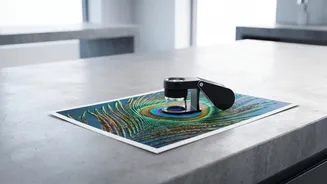
While powerful, these tools are not a silver bullet. The adoption of C2PA Content Credentials is still growing, so many images will not have them. Furthermore, bad actors will always look for ways to circumvent them. That is why traditional media literacy skills remain essential. When analyzing a suspicious image, especially a potential AI fake, look for tell-tale errors. Does the lighting seem inconsistent or do shadows fall in the wrong direction? Are there strange textures, like skin that looks too smooth or plastic-like? Check the background for distorted or nonsensical objects. While AI has gotten much better at details like hands, subtle glitches can still be a giveaway. Combining this critical visual analysis with the technical verification from reverse image and provenance searches provides the strongest defense against being misled.