

That tired, gritty feeling in your eyes after a long day on your laptop is all too common. Known as digital eye strain, it affects millions. But relief is closer than you think, often involving simple adjustments to your screen and setup.
Understanding Digital Eye Strain
Digital eye strain,
or Computer Vision Syndrome, is the physical discomfort many feel after hours of screen use. Symptoms can include dry or watery eyes, blurred vision, headaches, and even neck and shoulder pain. This happens because our eyes work harder to read text on a digital screen compared to a printed page. Factors like screen glare, poor posture, and reduced blink rates all contribute to the problem. The good news is that most of these symptoms are temporary and can be managed with a few ergonomic tweaks.
The Brightness Balancing Act
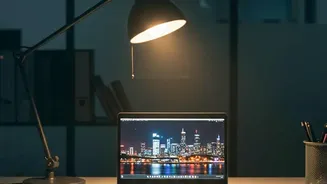
There is no single perfect brightness percentage for every laptop. The key is to match your screen's brightness to the ambient light in your room. A simple test is to look at a white background on your screen, like a blank document. If it looks like a glowing light source, it's too bright. If it seems dull and grey, it's too dark. In a well-lit office, a brightness of around 250-350 nits (a unit of screen luminance) is often comfortable, while in a dim room, you might lower it to between 120 and 180 nits. The goal is for your screen to blend seamlessly with its surroundings, not compete with them.
Finding Your Ideal Viewing Distance
How far you sit from your screen is just as important as its brightness. The most common guideline is the 'arm's length rule'. Sit back comfortably and extend your arm; your fingertips should just about touch the screen. This typically places the screen between 50 and 70 cm (about 20-28 inches) away from your eyes. This distance allows you to see the entire screen without constantly moving your head or straining your neck. If the text appears too small at this distance, it's better to increase the font size in your settings rather than leaning closer.
Positioning for Posture and Comfort
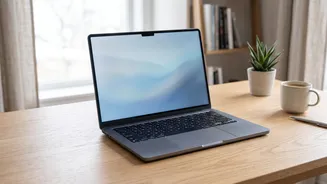
Beyond distance, the height of your screen is critical for preventing neck and shoulder pain. The top of your screen should be at or slightly below your eye level. This encourages a slight downward gaze of about 15 to 20 degrees, which is a more natural and relaxed position for your eyes and neck. Since laptop screens are often too low, using a laptop stand with a separate keyboard and mouse can make a significant difference for anyone who uses their device for extended periods.
Embrace the 20-20-20 Rule
One of the most effective habits for combating eye strain is the 20-20-20 rule. The concept is simple: for every 20 minutes you spend looking at a screen, take a 20 second break to look at something at least 20 feet (or 6 metres) away. This simple exercise allows the focusing muscles inside your eyes to relax, reducing fatigue and preventing dryness caused by a decreased blink rate during intense focus. Setting a recurring timer can be a helpful reminder to build this habit into your workday.