




Why Cloudy Days Expose Bad Lighting
On a bright, sunny day, a flood of strong, natural light pours through our windows. This intense light creates high contrast, making even a poorly lit interior feel brighter by comparison. Our eyes adjust to the dominant outdoor brightness, and we often
don't notice the subtle flaws in our artificial lighting. An overcast sky, however, provides a different kind of light. It’s a flat, low-contrast, diffused light that is significantly dimmer than direct sun. With less intense natural light coming in, the quality of our indoor lighting is no longer masked. Suddenly, the shadows in the corner, the glare on your screen, and the generally dim atmosphere become much more apparent. This shift forces us to rely more heavily on our artificial lights, and their weaknesses are laid bare.
The Hidden Costs of a Dim Desk
Tolerating subpar lighting is more than just an inconvenience; it can have a real impact on your health and productivity. The most common complaints associated with poor lighting are physical discomforts like eye strain, headaches, and general fatigue. When your eyes have to work harder to see, it drains your energy and can even lead to back and neck pain from leaning forward. Beyond the physical, inadequate light also affects our mood and mental state. Natural light exposure is linked to the production of serotonin, a neurotransmitter that helps regulate mood. A dim, uninviting workspace can reduce focus, decrease motivation, and contribute to feelings of sluggishness or even sadness, negatively impacting cognitive function and engagement with your work.
Your Quick Lighting Audit
Think your lighting might be the problem? Take a moment to assess your current setup. On your next overcast day, sit at your desk and ask yourself these questions: Do you find yourself squinting to read documents or see your screen? Are there distracting glares on your monitor from overhead lights or windows? Does your workspace feel gloomy or cast in unflattering shadows? Do you experience headaches or feel tired after a few hours of work? If you answered yes to any of these, it's likely time for a lighting upgrade. A good workspace should be comfortably and evenly lit, allowing you to see clearly without strain.
The Layered Lighting Solution
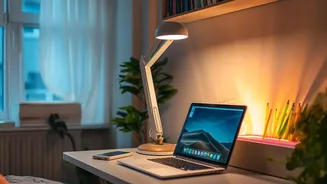
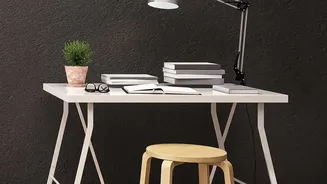
The secret to effective workspace illumination is not a single, powerful overhead light. Instead, professionals recommend a layered approach that combines three types of lighting to create a functional and comfortable environment. 1. Ambient Lighting: This is the general, overall light that fills the room, often from a ceiling fixture or natural light from windows. Its purpose is to provide a base level of brightness for safe and easy movement. 2. Task Lighting: This is focused light directed at a specific area where you perform tasks, like your desk or reading chair. An adjustable desk lamp is a classic example of task lighting, designed to reduce eye strain and provide clarity for detailed work. 3. Accent Lighting: This type of light adds visual interest and depth by highlighting specific objects or architectural features, such as a piece of art, a bookshelf, or a textured wall.
Choosing the Right Tools
When shopping for new bulbs or fixtures, you'll encounter a few key terms. Understanding them will help you make the best choice. Colour Temperature (Kelvin or K): This describes how warm (yellowish) or cool (bluish) the light appears. For focused work, a neutral to cool white light, typically between 4000K and 5000K, is recommended. This range mimics natural daylight and can enhance alertness. Warmer temperatures (around 2700K-3000K) are better for relaxation areas. Brightness (Lumens): This measures the total light output. For general desk work, a task lamp providing 500 to 1000 lumens is a good target to ensure you can see clearly without creating harsh glare. Colour Rendering Index (CRI): Rated on a scale of 0-100, CRI measures how accurately a light source reveals the true colours of objects compared to sunlight. For a home office where you want materials and even skin tones on video calls to look natural, aim for a CRI of 90 or higher.