



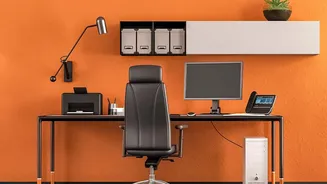

The Foundation: Your Chair
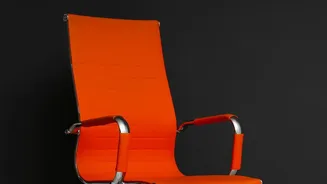
Your chair is the most critical piece of the ergonomic puzzle. Before adjusting anything else, start here to create a stable base. Begin by adjusting the seat height so your feet rest flat on the floor with your knees at or slightly below a 90-degree
angle. Your thighs should be roughly parallel to the ground. If your feet dangle, use a footrest to provide support. Next, adjust the seat depth. You should have a small gap, about two to three fingers' width, between the front edge of the seat and the back of your knees to ensure proper blood circulation. Your back should be fully supported by the backrest, which should be adjusted to fit the natural curve of your lower back, or lumbar region. Finally, set your armrests so your elbows can rest lightly on them at about a 90-degree angle, allowing your shoulders to relax.
The Right Height: Your Desk and Keyboard
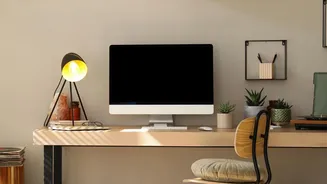
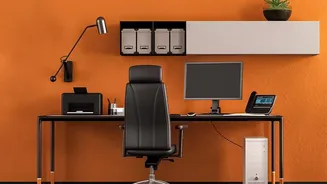
Once your chair is set, turn your attention to your desk and keyboard. The goal is to keep your arms in a neutral position to prevent shoulder and wrist strain. Your keyboard and mouse should be positioned at or slightly below your resting elbow height. This ensures your forearms are parallel to the floor or angled slightly downward while you type. If your desk is too high and not adjustable, a keyboard tray is an excellent solution to achieve the correct height. Place the keyboard close to the front edge of the desk, about 15 cm away, so you don't have to reach. This allows your elbows to stay close to your body and your shoulders to remain in a natural, relaxed position.
The Eyes Have It: Monitor Placement
Improper monitor height is a primary cause of neck and shoulder pain. To find the right spot, position the monitor so that the top edge of the screen is at or slightly below your eye level. Your eyes should gaze slightly downward, about 15 to 20 degrees, to view the center of the screen. This prevents you from craning your neck up or hunching forward. The monitor should be placed at roughly an arm's length away from you, typically between 20 and 30 inches. If you have a larger screen, you may need to place it slightly farther back. Position the monitor directly in front of you to avoid twisting your neck. If you use two monitors, place your primary one directly in front and the secondary one to the side at the same height.
Wrist and Hand Wellness: Your Mouse
To prevent repetitive strain injuries like carpal tunnel syndrome, your mouse and keyboard placement is key. Your wrists should remain in a neutral, straight line while you work, not bent up, down, or sideways. Place your mouse as close to your keyboard as possible to minimize reaching and keep your elbow from drifting outward. Using a more compact keyboard without a number pad can help you bring the mouse closer to your body's centerline, reducing shoulder strain. When using the mouse, try to move from your elbow and forearm rather than just your wrist, and maintain a relaxed grip. It's also beneficial to rest your hands when not actively typing or clicking to release unnecessary tension in your arms and shoulders.
The Most Important Tweak: Movement
Even the most perfectly ergonomic setup cannot eliminate the risks of a sedentary workday. The human body is designed to move. No single posture is ideal for an entire day. Make a conscious effort to change your position frequently. Set a reminder to stand up, stretch, and walk around for a few minutes at least every hour, though some experts recommend moving every 30 minutes. A simple way to incorporate this is the 20-20-20 rule: every 20 minutes, look at something 20 feet away for 20 seconds to give your eyes a break from the screen. These micro-breaks can significantly reduce muscle fatigue and eye strain, contributing as much to your comfort as the physical setup of your desk.