







The Core of the Problem: Understanding Ergonomics
Laptops are designed for portability, not perfect posture. The fact that the screen and keyboard are connected means that if your hands are in a comfortable typing position, your screen is almost certainly too low. This forces you to tilt your head down,
leading to what is often called 'tech neck'. Over time, this forward-hunching posture can lead to chronic neck pain, shoulder stiffness, and even headaches. The ergonomic ideal is to have the top of your screen at or just slightly below your eye level, with the display about an arm's length away. This position keeps your head balanced over your spine, reducing muscle strain.
The No-Cost Fix: A Stack of Books
The quickest and most affordable solution is probably already on your bookshelf. A stable stack of large books, a sturdy box, or even reams of paper can serve as an effective, if temporary, laptop riser. The goal is to elevate your laptop until the top of the screen aligns with your eye level. Just make sure your stack is stable and won't wobble. While this solves the screen height issue, it creates another: the built-in keyboard will now be too high for comfortable typing. This is a crucial detail many people miss.
A Critical Upgrade: The External Keyboard and Mouse
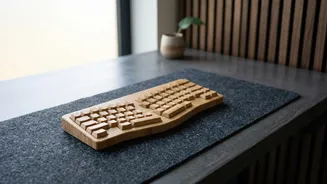
Once you raise your laptop, you must use an external keyboard and mouse. This allows you to position the screen at the correct height while keeping your keyboard at elbow level, with your forearms parallel to the floor. This setup prevents you from reaching up and straining your wrists and shoulders. Your elbows should be bent at a comfortable 90-degree angle, close to your body. Without this step, you are simply trading neck strain for wrist and shoulder strain.
The Purpose-Built Solution: A Laptop Stand
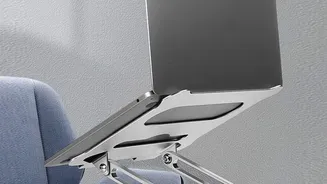
For a more stable and professional setup, a dedicated laptop stand is an excellent investment. These stands are specifically designed to elevate your screen to an ergonomic height. They come in various styles, from fixed-height models to highly adjustable ones that allow you to fine-tune the height and angle. Many are portable and foldable, making them suitable for moving between home and the office. Beyond ergonomics, stands also improve airflow to your laptop and can help declutter your desk by creating usable space underneath.
The Premium Experience: An External Monitor
If you spend most of your workday on a laptop, connecting to an external monitor is the ultimate ergonomic upgrade. A separate monitor not only provides a larger screen, which can reduce eye strain, but it also completely decouples your screen from your keyboard. This gives you maximum flexibility to position your monitor at the perfect height and distance. You can place your laptop to the side for a dual-screen setup or keep it closed entirely. For the most flexibility, a monitor arm allows you to easily adjust the screen's position throughout the day.