





A New Creative Starting Line
The traditional design process often begins with a slow, manual search for inspiration. Designers spend hours, sometimes days, scouring websites, stock photo libraries, and magazines to find images, textures, and color swatches that capture a project's
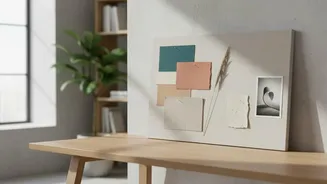
intended vibe. This collection is then painstakingly arranged into a mood board. Generative AI tools fundamentally change this workflow. By responding to simple text prompts, these platforms can produce a complete, curated set of visuals, color palettes, and stylistic examples in moments. Instead of starting from a blank canvas, designers now have a dynamic, AI-generated first draft to react to, refine, and build upon. This accelerates the entire ideation phase, compressing what was once a day's work into a coffee break.
How AI Generates Design Concepts
The magic behind these tools lies in generative artificial intelligence. Designers provide a text prompt describing the desired aesthetic, such as "a brand identity for a minimalist, eco-friendly coffee shop with a calming vibe." The AI then processes this request, drawing upon a vast dataset of images and design principles to generate a visual collage. But it goes further than just arranging stock photos. Many modern tools can generate entirely new images, create harmonious color palettes extracted from the visuals, and even suggest typography pairings. Platforms like Adobe Firefly Boards allow for an integrated workspace where designers can generate, upload, and remix ideas on an infinite canvas, making the process fluid and collaborative. This allows for rapid iteration and experimentation that was previously impossible.
The Tools Changing the Game
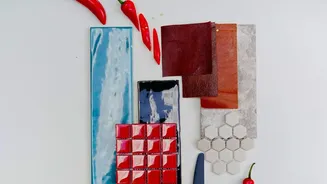
A growing ecosystem of AI tools is available to designers. For color, platforms like Coolors and Khroma have become industry staples. Coolors allows for rapid generation by simply pressing the spacebar, while Khroma uses AI to learn a designer's personal color preferences over time, delivering personalized suggestions. For integrated mood boards, tools like Microsoft Copilot and specific platforms like Moodboard AI can generate entire visual concepts from detailed prompts. These tools can be highly specialized; some focus on interior design and fashion, while others are built for generating user interface mockups. The key is the integration: the color palette is no longer separate from the mood board but is created in concert with it, ensuring visual harmony from the very beginning.
More Than Just Speed
The most obvious benefit of using generative AI is the dramatic increase in efficiency. Automating tedious and repetitive tasks frees up designers to focus on higher-level strategic work like concept development, brand strategy, and client communication. But the advantages extend beyond productivity. AI can help break through creative blocks by presenting unexpected visual combinations and novel ideas. It enables designers to present clients with multiple, high-fidelity options early in the process, facilitating clearer feedback and faster approvals. This shift doesn't reduce the value of design; it moves the effort from manual production to strategic art direction and quality control.
The Designer's Role is Evolving, Not Disappearing
A common fear is that AI will replace human designers. However, the consensus in the industry is that these tools are powerful assistants, not autonomous creators. An AI can generate a visually pleasing mood board, but it lacks the critical understanding of a client's business goals, target audience, and brand history. The designer's role is shifting from pure creation to expert curation, taste-making, and strategic refinement. They guide the AI, select the strongest concepts, and apply their unique expertise to transform the AI's output into a final, polished product. A creative brief and a clear vision are more important than ever; AI can generate options quickly, but only a human can determine if they are the right options.