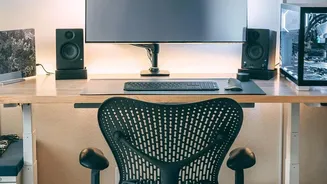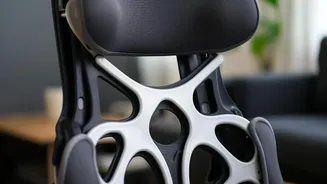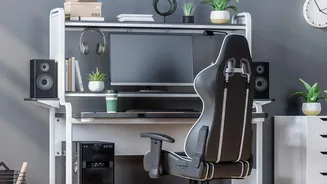







Start With Your Chair: The Foundation
Your chair is the starting point for a pain-free setup. Begin by adjusting the height so your feet rest flat on the floor, with your knees bent at roughly a 90-degree angle and level with or slightly below your hips. This promotes good circulation and grounds
your posture. Next, address the seat depth. You should have a small gap, about the width of two or three fingers, between the back of your knees and the edge of the seat. This prevents the seat from cutting off circulation. Finally, adjust the backrest to support the natural curve of your lower back. If your chair lacks built-in lumbar support, a small cushion or rolled-up towel can work wonders. Your elbows should also rest at a comfortable 90-degree angle, with your shoulders relaxed.
Position Your Monitor: Eyes on the Prize
Craning your neck up or down to see your screen is a primary cause of neck and shoulder pain. To fix this, position your monitor so the top edge of the screen is at or slightly below your eye level. This allows you to look slightly downward toward the center of the screen, which is a more natural resting position for your eyes and neck. The monitor should be placed directly in front of you to avoid twisting your body. As for distance, a good rule of thumb is to place the screen about an arm's length away. You should be able to see the entire screen clearly without leaning forward or squinting. If you wear bifocals, you may need to lower your monitor a bit more to find a comfortable viewing angle without tilting your head back.
Align Your Keyboard and Mouse
Wrist pain often stems from improper keyboard and mouse placement. Both should be on the same level and positioned so your elbows remain at that magic 90-degree angle. Your wrists should be straight and in a neutral position, not bent up, down, or to the sides. Many people make the mistake of using the small feet on the back of their keyboard, which angles the wrists upward into an extension position. For most people, keeping the keyboard flat is better for wrist health. Keep your mouse close to your keyboard to avoid reaching, which can strain your shoulder. When moving the mouse, try to use your whole arm rather than just flicking your wrist.
Incorporate Healthy Habits
Even the perfect setup can't completely negate the strain of staying in one position for hours. It's crucial to build movement into your day. Many experts recommend the 20-20-20 rule to combat digital eye strain: every 20 minutes, look at something at least 20 feet away for 20 seconds. This gives your eye muscles a much-needed break from focusing on a close-up screen. Beyond your eyes, your whole body needs regular breaks. Set a reminder to get up, stretch, and walk around for a few minutes every hour. These micro-breaks improve blood flow, reduce muscle stiffness, and give your body a reset, preventing the slow accumulation of strain that leads to chronic pain.
Listen to Your Body
While these guidelines provide a fantastic starting point, remember that they are not rigid rules. The ultimate goal of ergonomics is to create a setup that is comfortable for your unique body. After making these adjustments, pay attention to how you feel. If you still notice discomfort, don't be afraid to make small tweaks. Maybe your monitor needs to be an inch lower or your keyboard slightly closer. Your body is the best judge of what works. The aim is to achieve a neutral, supported posture that you can maintain comfortably throughout the workday, reducing strain and allowing you to focus on your tasks without a nagging ache.