




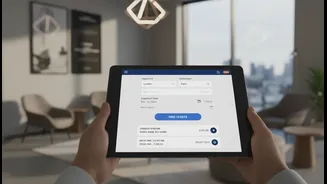
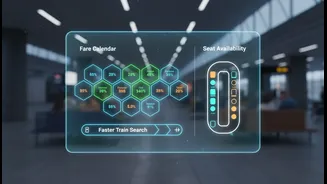



Embrace the New, Faster Interface
The new IRCTC website, which officially launched on July 15, 2026, is designed for speed. It features a cleaner layout, fewer annoying pop-ups, and a reduced number of CAPTCHA verifications, all intended to create a smoother and faster booking process.
Instead of checking seat availability for each class separately, the new portal allows you to see all options on a single screen. Familiarise yourself with this new, more intuitive design before a critical booking. The goal is to reduce clicks and eliminate distractions, helping you move from search to payment more quickly.
Prepare with the Master List
The single most effective way to save time is by preparing a 'Master List' of passengers. This feature allows you to save the details of frequently travelling passengers—name, age, gender, ID card information, and berth preference—directly to your IRCTC account. You can add up to 20 passengers to your list. When booking, especially during the high-pressure Tatkal window, you can auto-fill all passenger details with a single click instead of typing them manually. This not only saves precious seconds but also prevents typos that could derail your booking attempt. Set this up by navigating to 'My Profile' and selecting 'Add/Modify Master List'.
Choose Your Payment Method Wisely
The payment stage is often where bookings fail. The fastest payment methods are those that require the fewest steps. The IRCTC eWallet is widely considered the quickest option, as it is pre-loaded and does not require an OTP during the final transaction, potentially saving you 30-60 seconds. The next best option is UPI, which is generally faster than credit cards, debit cards, or net banking because it involves a quick approval on your mobile app. Avoid net banking during peak Tatkal hours, as bank servers can become slow and delay the process. Have your UPI ID ready or ensure your eWallet is topped up before you begin.
Know the Timings and Login Early
For last-minute travel, the Tatkal booking window is crucial. It opens at 10:00 AM for AC classes and 11:00 AM for non-AC classes, one day before the journey. Seats on popular routes can vanish within minutes, so timing is everything. Do not wait until the exact moment to log in. It is recommended to log into your account at least 5-10 minutes before the window opens. Prepare your search by entering the source, destination, and date beforehand. As soon as the clock strikes, you can hit 'Search' and proceed, giving you a head start.
Use a Stable Connection and a Single Device
A fast and stable internet connection is non-negotiable. A wired broadband connection is generally more reliable than mobile data or public Wi-Fi during the high-traffic Tatkal rush. Also, resist the temptation to log into the same IRCTC account from multiple devices or browsers simultaneously. This can lead to session errors and cause you to be logged out at a critical moment. Stick to one device and one browser for a smooth, uninterrupted booking process. The official IRCTC Rail Connect app is also a solid option, as it's optimized for mobile booking.
Utilize Key Booking Options
During the booking process, you'll see a checkbox for 'Book only if confirm berths are allotted'. Selecting this option is a smart move. If no confirmed seats are available when you reach the payment stage, the system will prevent the transaction from proceeding. This saves you from paying for a waitlisted Tatkal ticket (TQWL), which has a lower chance of confirmation and for which there are no refunds upon cancellation if the ticket remains waitlisted. It’s a simple click that can save you both money and disappointment.