






The Golden Rule of UPI Safety
There is one fundamental principle that defeats the most common UPI scams: you never, ever need to enter your UPI PIN to receive money. Your PIN is a key that only unlocks one action—sending money from your account. Incoming payments are automatic and
require no approval or PIN from the recipient. Scammers rely on creating a sense of urgency or confusion to trick you into entering your PIN, disguising an outgoing payment as an incoming one. If anyone asks you to enter your PIN to get a refund, prize, or payment, it is a scam.
Understanding QR Code Scams
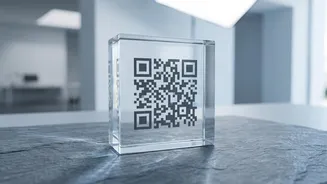
QR code fraud happens when scammers exploit a user's trust in this convenient technology. A common tactic involves sending you a QR code via WhatsApp or another messenger, claiming you need to scan it to receive money. However, scanning a QR code in a UPI app is always for making a payment, never for receiving one. When you scan their code and enter your PIN, you are not receiving funds; you are sending them to the scammer. Another variant occurs in physical locations, where fraudsters paste their own QR sticker over a legitimate merchant's code at a shop or fuel station, redirecting your payment to their account.
How to Spot a Malicious QR Code
Before you complete any QR code payment, your UPI app will display the name of the recipient. Always pause and verify this name. Does it match the shop or person you intend to pay? If the name is different or seems like a random individual's name, cancel the transaction immediately. Be extremely cautious of any QR code sent to you by a stranger online, especially on marketplace sites. Legitimate buyers only need your UPI ID to send you money; they never need you to scan a code.
Decoding UPI Phishing Links
Phishing scams use deceptive emails, SMS messages, or social media links that imitate genuine banks or UPI apps. These messages often create a false sense of urgency, with claims that your account will be blocked, your KYC needs updating, or you have won a prize. Clicking the link leads to a fake website designed to steal your confidential information, such as your UPI PIN, password, or bank details. Never click on unsolicited links or download attachments from unknown sources. Official communication from your bank or UPI provider will happen through secure, verified channels, usually within the app itself.
Actionable Steps for Daily UPI Security
Beyond the golden rule, cultivate these habits for ironclad security. First, never share your UPI PIN or OTP with anyone, not even someone claiming to be from your bank or a customer service agent. Banks and official representatives will never ask for this information. Second, decline all unexpected payment requests. If you get a 'collect request' from an unknown ID, simply decline it. Third, avoid installing screen-sharing apps like AnyDesk or TeamViewer at the behest of a stranger claiming to offer technical support; they can use it to see you enter your PIN. Finally, if a number appears in a search result for 'customer care', treat it with suspicion. Scammers plant fake support numbers online to trick users into calling them. Always find support numbers on the official app or website.
What to Do If You've Been Scammed
If you suspect you have fallen for a scam, speed is critical. Your first call should be to the national cybercrime helpline at 1930, which is dedicated to financial cyber fraud. Next, immediately inform your bank to report the fraudulent transaction and request to block further payments. You should also report the incident within your UPI app itself, which creates an official dispute record. Finally, file a formal complaint on the National Cyber Crime Reporting Portal (cybercrime.gov.in). Acting quickly within the first few hours can increase the chances of tracing and recovering the funds.