

The daily commute can feel like lost time, but it offers a unique creative opportunity. The changing light and constant motion of your journey are perfect for capturing stunning time-lapse videos right on your smartphone.
Why Your Commute is a Perfect Subject
A time-lapse video works by capturing
frames at a slower rate and then playing them back at normal speed, making slow-moving events appear fast and dynamic. Your commute, whether by car, train, or bus, is filled with these perfect moments. Morning and evening trips often coincide with the 'golden hour'—the period shortly after sunrise or before sunset—when the light is soft, warm, and constantly changing. This dramatic lighting, combined with the flow of traffic, the movement of clouds, and the shifting scenery, transforms a mundane journey into a cinematic experience. Capturing this transforms the rhythm of the city or the calm of the countryside into a visual story.
Getting Started: The Bare Essentials
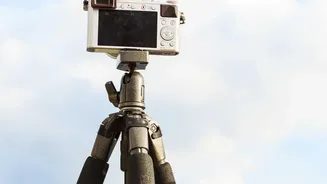
The beauty of this project is its simplicity. You already have the most important tool: your smartphone. Most modern phones, both Android and iOS, have a built-in time-lapse (or 'hyperlapse' on Samsung devices) feature right in the native camera app. The only other crucial piece of equipment is something to keep your phone steady. Even tiny vibrations become major shakes in a sped-up video. For shooting from a vehicle, a simple dashboard or window-suction mount is essential. These are affordable and will make a huge difference in the quality of your video, preventing the shaky footage that can ruin an otherwise great shot.
Finding the Right Settings
For your first few attempts, the automatic mode on your phone's time-lapse function will work wonderfully. However, to gain more control, you should lock your focus and exposure before you hit record. Simply tap and hold on the area of the screen you want to keep in focus—like the road ahead or the distant skyline—until a lock icon appears. This prevents the camera from 'breathing' or hunting for focus as the scenery and light change, which can cause distracting flickers in the final video. The interval, or the time between each photo, is usually set automatically by your phone based on the selected speed (e.g., 10x, 30x). A one- to two-second interval is often ideal for capturing smooth motion from a moving vehicle.
Framing Your Shot on the Move
Composition is key to making your video compelling. From a car or train, a view looking straight ahead through the windshield or front window provides a great sense of forward momentum. If you’re a passenger, a side view can capture the landscape rushing past. Try to include a fixed element, like a portion of your car's dashboard or a window frame, to ground the shot and enhance the feeling of movement. Look for 'leading lines'—like the edges of the road, railway tracks, or rows of streetlights—that draw the viewer's eye into the scene. Be mindful of safety; mount your phone securely and away from any airbags or controls before you start driving.
Dealing With Light and Motion Blur
Sunrise and sunset provide beautiful colours, but the changing light can be tricky. Locking your exposure helps, but it's also a good idea to start your recording before the most dramatic changes begin to capture the full transition smoothly. A key technique in professional-looking time-lapses is motion blur, where moving objects like other cars create streaks of light. While harder to control on a smartphone, some apps allow manual shutter speed adjustments. A slightly slower shutter speed helps create this fluid, less jittery effect. Even without manual controls, shooting at night can naturally produce this effect as headlights and taillights paint beautiful trails of light.
Quick Edits and Sharing
Once you've recorded your clip, your phone will automatically compile it into a video file. You don't need complex software to make it shine. Most built-in photo apps allow for simple edits. You can trim the start and end of your video to get straight to the action. You can also adjust the brightness, contrast, and saturation to make the colours of a sunrise or the glow of city lights really pop. Adding a simple music track, available in many free editing apps, can elevate the final product before you share it. The goal is not perfection, but to create a short, engaging clip that offers a new perspective on a familiar journey.