





Choosing Your AI Assistant
The first step is selecting the right tool for the job. You don't need a single, all-in-one platform. Many job seekers find success combining different types of AI. General-purpose large language models (LLMs) like ChatGPT and Claude are excellent for drafting
initial content and refining your tone. They are flexible and can handle a wide range of prompts. For more specialised tasks, consider dedicated resume builders like Kickresume or Rezi, which often include features designed to optimize your resume for Applicant Tracking Systems (ATS). Tools like Grammarly or Google Gemini can integrate directly into your email client, helping you refine your writing in real-time. The key is to pick tools that fit your workflow, whether you need a powerful drafter or an integrated editor.
Crafting the Perfect Resume Summary
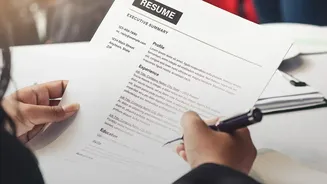
Your resume summary is your 30-second elevator pitch. AI can help you make it concise and impactful. Instead of a vague instruction like "improve my summary," provide the AI with specific details. A strong prompt includes your target job title, years of experience, key skills, and the industry you're in. For example: "Write a professional summary for a Senior Project Manager with 8 years of experience in the fintech sector, highlighting my skills in agile methodologies and cross-functional team leadership." You can also feed the AI your existing summary and ask it to make it more focused or to tailor it to a specific job description you provide. This helps ensure your summary directly addresses what the hiring manager is looking for.
Drafting Emails That Get Opened
From initial outreach to follow-ups, your emails are a critical part of your application. AI can help you overcome writer's block and strike the right professional tone. To draft a compelling email, give the AI clear context. Specify the recipient, your relationship to them (if any), your goal, and the action you want them to take. For instance, you could prompt: "Write a professional email to a hiring manager, following up on my application for the Marketing Associate role. Briefly reiterate my interest and ask about the timeline for the next steps." Many tools allow you to adjust the tone, so you can make it more formal, confident, or approachable as needed. This saves you time while ensuring your communication is polished and effective.
The Crucial Final Step: Human Review
AI is a powerful assistant, but it is not a replacement for your own judgment. Always treat AI-generated content as a first draft. After generating a resume summary or an email, your most important job is to review, edit, and personalize it. Read the text aloud to catch any awkward phrasing or robotic language. Fact-check every detail, as AI can sometimes invent or misstate information like dates or metrics. Most importantly, inject your own voice and specific, personal accomplishments back into the text. A hiring manager can often spot generic AI content; your personal touch is what makes your application authentic and memorable. The goal is to use AI to work faster, not to lose your unique professional identity in the process.
Avoiding Common AI Pitfalls
While incredibly helpful, AI tools come with potential downsides if used carelessly. A primary risk is creating an application that sounds too generic. To avoid this, always provide detailed, specific prompts that include your personal accomplishments. Never copy and paste AI output blindly into your application. Another major pitfall is the risk of factual inaccuracies, sometimes called "hallucinations." The AI might invent accomplishments or misrepresent your experience, so you must verify every claim it makes. Finally, don't rely on AI to perfectly optimize your resume for every Applicant Tracking System (ATS). While some dedicated tools are designed for this, general-purpose AIs aren't built to score your resume against a job description's specific keyword requirements.