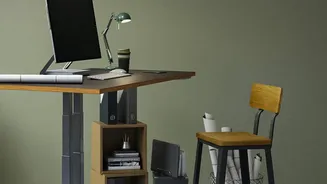







Start with Your Foundation: The Chair
Before you touch your monitor, your chair is the anchor of a healthy posture. The goal is to support your spine's natural S-shaped curve, not force it into a C-shape slump. First, adjust your seat height so your feet rest flat on the floor with your knees
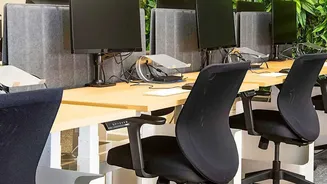
at or slightly below your hips, forming a roughly 90-degree angle. If your feet dangle, use a footrest. Next, sit all the way back in the chair. There should be a small gap, about two to three fingers wide, between the front edge of the seat and the back of your knees. This ensures proper support without cutting off circulation. Getting the chair right creates the stable base from which all other adjustments follow.
The Critical Role of Lumbar Support
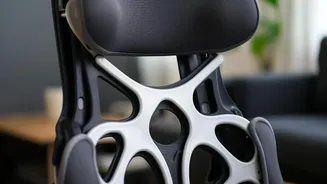
Proper lumbar support is essential for preventing the pelvis from tilting backward and flattening the natural inward curve of your lower back. Many ergonomic chairs have adjustable backrests or dedicated lumbar sections. The key is positioning this support correctly. It should fit snugly into the curve of your lower back, generally around your belt line. A common mistake is setting it too high, which can push your spine into an unnatural position. If your chair lacks built-in support, a small rolled-up towel or a dedicated lumbar cushion can be an effective substitute to maintain proper spinal alignment.
Aligning Your Monitor for a Neutral Neck
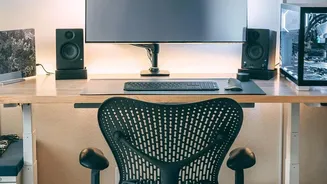
Once your seated posture is stable, turn your attention to the screen. Incorrect monitor placement is a primary cause of neck and shoulder strain. Place the monitor directly in front of you, about an arm's length away. The most important adjustment is height: the top of the screen should be at or slightly below your eye level. This allows you to view the entire screen by moving just your eyes, preventing you from tilting your head up or, more commonly, craning your neck forward. If you wear bifocals, you might need to lower the monitor an extra inch or two for comfortable viewing.
Bringing Your Arms and Hands into Alignment
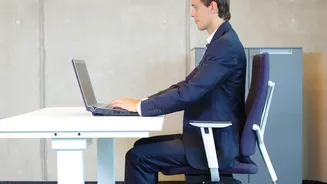
Your back and neck pain can also be influenced by the position of your arms. Adjust your desk or chair so that your elbows are bent at a relaxed 90- to 100-degree angle, with your forearms parallel to the floor or slightly below. Your shoulders should be relaxed, not hunched up towards your ears. The keyboard and mouse should be on the same level and close enough that you can use them without reaching or straining your shoulders. Your wrists should remain straight and in a neutral position while typing, rather than bent upwards or downwards. This holistic approach ensures your entire upper body is supported, reducing stress that can travel to your back.
Movement is the Final, Crucial Ingredient
Even the most perfectly ergonomic setup cannot protect you from the negative effects of staying static for too long. Prolonged sitting, regardless of posture, reduces blood flow and leads to muscle fatigue. Health experts recommend breaking up long periods of sitting by moving at least every 30 to 60 minutes. You don't need a lengthy workout; simply standing up, stretching, or walking around for a few minutes can make a significant difference. Set a timer to remind yourself to take these micro-breaks. Think of movement not as an interruption to your work, but as a vital part of maintaining your health and focus throughout the day.