





Why Your Usual Map Isn't Enough
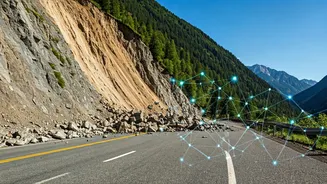
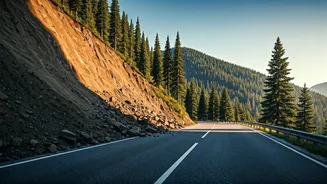
During the monsoon, road conditions can change in minutes. A route that was clear an hour ago might be blocked by a sudden landslide, a flash flood, or a fallen tree. Standard navigation apps are excellent for traffic jams but often lag in reporting these
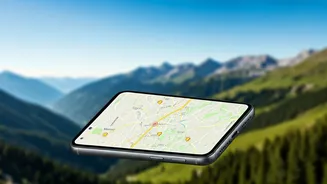
natural hazards. They rely on historical data and real-time traffic flow, but a complete road blockage doesn't register as just 'traffic.' This is where specialised, real-time alert systems become not just a convenience, but a critical safety tool. Relying solely on a pre-downloaded map is like using yesterday's newspaper to check today's weather—you’re missing the most crucial, timely information.
Start with Official Government Feeds
Before you even get in the car, your first stop should be official government channels. These sources provide macro-level warnings that can help you decide if a trip is even feasible. * **Indian Meteorological Department (IMD):** The IMD issues district-level weather warnings, including alerts for heavy to extremely heavy rainfall which often precedes landslides. Check their website for colour-coded warnings (yellow, orange, red) for your intended route. * **National Disaster Management Authority (NDMA):** The NDMA disseminates alerts and safety guidelines through its official website and social media channels. They also run awareness campaigns like #APSA, providing actionable advice. * **State-Level DRMAs:** Many states prone to landslides, like Uttarakhand, Himachal Pradesh, Kerala, and those in the Northeast, have their own State Disaster Management Authority websites and Twitter handles. These are often the most accurate sources for hyper-localised alerts and road closure information.
Harnessing the Power of the Crowd
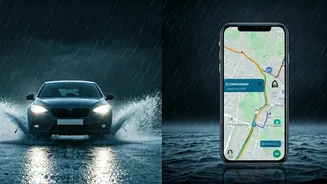
While official sources provide the big picture, community-powered platforms give you on-the-ground intelligence. These apps and groups thrive on users reporting what they see in real time, creating a dynamic map of hazards. * **Waze:** This is arguably the most popular crowd-sourced navigation app. Users can report accidents, hazards, and police presence. During monsoons, the 'Hazard' report feature is invaluable for marking debris, floods, or landslides on the map for other drivers to see. * **Google Maps:** While less community-focused than Waze, Google Maps has a feature for reporting incidents. It also increasingly integrates official road closure alerts in many areas. * **Social Media Groups:** Never underestimate the power of Facebook and WhatsApp. Search for traveller groups specific to your destination (e.g., 'Leh-Ladakh Road Trip,' 'Spiti Valley Travellers'). Members often post real-time photos, videos, and updates about road conditions. These are invaluable for getting a true sense of the situation from people who are actually there.
How to Verify Community Reports
The downside of crowd-sourced information is the risk of misinformation or outdated posts. To use these feeds effectively, you need to be a discerning consumer. First, check the timestamp. An update from three days ago is useless. Look for recent photos or videos as proof. Second, seek corroboration. If one person reports a landslide on a Facebook group, see if others are confirming it in the comments or if a similar report appears on Waze. Cross-reference with local news reports or official Twitter handles. Be wary of sensationalised language. A calm, factual report (“Landslide at KM 24, road blocked”) is more reliable than a panicked post. This critical approach helps you separate signal from noise.
Building Your Monsoon Tech Toolkit
Before you leave, prepare your digital dashboard. 1. **Download Offline Maps:** For your entire route on both Google Maps and an alternative. You will lose connectivity. 2. **Bookmark Official Websites:** Save shortcuts to the IMD and the relevant state DRMA website on your phone’s home screen. 3. **Follow on Social Media:** Follow the official Twitter handles of the state police and DRMA for your destination. Turn on notifications. 4. **Join the Groups:** Join the relevant Facebook or WhatsApp travel groups a week before your trip to monitor the general situation. 5. **Inform Someone:** Use your tech to share your live location (via WhatsApp or Google Maps) with a trusted contact who is not travelling with you. Set up check-in times. This is your most important backup.