





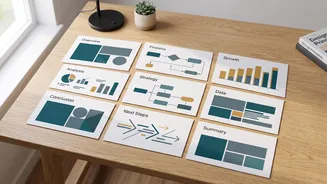


The New Study Partner: What Are AI Presentation Makers?
Think of AI presentation makers as intelligent design assistants. These tools, which often come as web applications or browser extensions, use artificial intelligence to take your raw text—like lecture notes, a research summary, or a simple bulleted list—and
automatically structure it into a series of professional-looking slides. Unlike traditional templates where you manually fit your content into pre-set boxes, these platforms generate the entire first draft for you, including suggesting layouts, picking fonts, and even finding relevant images. Tools like Gamma, Canva AI, and Plus AI are becoming popular choices for students because they dramatically cut down the time spent on design and formatting. This allows you to focus on what truly matters: the quality of your research and the clarity of your message.
From Text to Slides: How Does It Work?
The process is surprisingly straightforward. You start by feeding your content into the AI tool. This can be as simple as pasting in your text, uploading a document, or even providing a short prompt about your topic. For example, you could input a prompt like, “Create a 10-slide presentation for a history class on the key causes of the Green Revolution in India.” The AI then gets to work. It analyzes your text, identifies the main ideas and sub-points, and organizes them into a logical sequence of slides. It designs each slide by selecting layouts that best fit the content, choosing a consistent visual theme, and generating titles. Within minutes, you have a complete, editable first draft of your presentation.
Writing for the Machine: The Art of a Good Outline
The quality of your AI-generated presentation depends almost entirely on the quality of your input. A vague prompt will lead to a generic and often unhelpful presentation. To get the best results, you need to provide a well-structured and detailed outline. Think of it as giving the AI clear instructions. Start with a strong title for the presentation. Then, for each slide, provide a clear title and the key bullet points you want to cover. The more specific your input, the more tailored and relevant the output will be. Instead of just “Marketing Strategy,” try “Slide 1: Target Audience - Demographics and Psychographics,” followed by “Slide 2: Key Marketing Channels - Social Media and Content Marketing.” This level of detail helps the AI understand the narrative flow and hierarchy of your information.
It's a First Draft, Not a Final Product
One of the biggest mistakes students make is treating the AI-generated output as the finished product. These tools are incredibly powerful for creating a strong starting point, but they are not infallible. Always plan to spend time reviewing and refining the slides. This human touch is crucial. Check for factual accuracy, as AI can sometimes “hallucinate” or invent information. Rewrite any text that sounds too generic or robotic to better reflect your own voice. You might also need to swap out irrelevant images or adjust layouts that don't quite work. Think of the AI as your tireless intern: it does the heavy lifting to get you 80% of the way there, but you, as the expert, need to provide the final polish and critical thinking.
Avoiding Common Pitfalls
While AI tools are a massive help, there are a few common traps to be aware of. The most obvious is creating a presentation that looks and feels generic. If you and your classmates are all using the same AI tool with basic prompts, your presentations may end up looking very similar. Another issue is information overload; AI can sometimes cram too much text onto a single slide, which is a classic presentation mistake. Be prepared to split dense slides into several simpler ones. Finally, always double-check the visual branding. If you are using a specific university or department template, you will need to manually apply those styles. The goal is to use AI to enhance your work, not to let it make your presentation impersonal.