



Start With Your Chair: The Foundation of Support
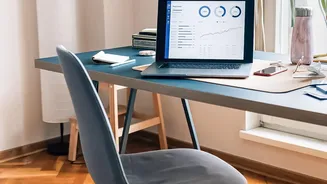
Your chair is the most critical piece of the ergonomic puzzle. The goal is to maintain the natural curve of your spine. Start by sitting all the way back, so your buttocks touch the back of the chair. Adjust the height so your feet rest flat on the floor
with your knees at or slightly below hip level, forming a 90-degree angle. Your chair should have lumbar support that fits into the natural curve of your lower back. If it doesn’t, a rolled-up towel or a dedicated lumbar pillow can serve as an effective substitute. Adjust the armrests so your shoulders are relaxed and your elbows bend at a 90 to 110-degree angle.
Align Your Desk and Screen to Prevent Strain
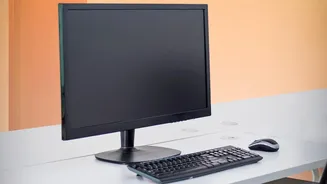
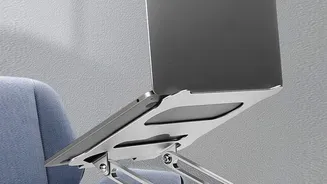
Once your chair is set, turn your attention to your monitor and desk. Your screen should be placed directly in front of you, about an arm's length away. Adjust the monitor height so the top of the screen is at or slightly below your eye level. This prevents you from craning your neck up or hunching down, which are common causes of neck and upper back pain that can contribute to lower back issues. If you use a laptop, propping it up on a stand or a stack of books to raise the screen to eye level is crucial. Using an external keyboard and mouse is necessary with this setup to maintain proper arm and wrist posture.
Position Your Keyboard and Mouse for Neutral Wrists
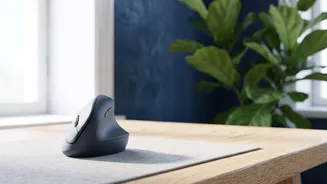
Reaching for your keyboard or mouse can throw your entire posture out of alignment. Position your keyboard and mouse close enough to your body that you can use them with your elbows bent at that comfortable 90 to 110-degree angle, close to your sides. Your wrists should remain in a straight, neutral position, not bent up or down. Your forearms should be roughly parallel to the floor while typing. If your desk is too high to achieve this, raise your chair accordingly and use a footrest to ensure your feet remain supported. Keeping your most-used items, like your phone or a notepad, within easy reach also prevents awkward twisting and reaching that can strain your back.
An Ergonomic Setup Is Not Enough: Movement Is Key
Even the most perfectly arranged workstation cannot counteract the negative effects of remaining static for hours. Prolonged sitting reduces blood flow and puts sustained pressure on your spinal discs. Health experts recommend interrupting long periods of sitting with movement breaks. Aim to stand, stretch, or walk around for a few minutes at least once every hour. Some follow the 20-20-20 rule: every 20 minutes, look at something 20 feet away for 20 seconds to reduce eye strain, and use it as a cue to briefly stand up. Alternating between sitting and standing, perhaps with a height-adjustable desk, is an excellent strategy for reducing the static load on your lower back.