







Your Employee Provident Fund (EPF) is a cornerstone of your long-term savings. But what happens if contributions go missing? Regularly checking your EPFO passbook is crucial to ensure your hard-earned money is safely growing for your future.
Understanding Your EPF Passbook
Think of your
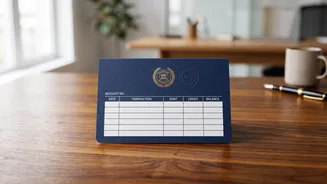
EPF passbook as a digital ledger for your retirement savings. It's an online document provided by the Employees’ Provident Fund Organisation (EPFO) that details every transaction in your account. It shows the monthly contributions from both you and your employer, any withdrawals, and the interest credited annually. Each entry specifies the wage month, ensuring you can track payments chronologically. If you've worked at multiple companies, your single Universal Account Number (UAN) will link to separate Member IDs, each with its own passbook, allowing you to review your employment history in one place. Accessing this passbook is the first step in taking control of your PF savings.
Why PF Credits Might Go Missing
Seeing a gap in your passbook can be worrying, but it often has a logical explanation. The most common reason is a simple processing delay; employers have until the 15th of the following month to deposit contributions, and it can take a few more days for the entry to reflect in the portal. Other causes include errors in your UAN or account details, or issues with your employer's Electronic Challan-cum-Return (ECR) filing. A recent job change can also cause temporary discrepancies as your account details are updated or transferred. In some cases, the employer might have genuinely failed to deposit the amount deducted from your salary. Understanding these potential reasons helps you decide the right course of action.
How to Check Your Passbook Online
Checking for missing credits is a straightforward process. First, visit the official EPFO Member Passbook portal. You will need your activated UAN and password to log in. Once signed in, you'll see a list of Member IDs associated with your UAN, representing your different jobs. Select the Member ID for your current employer to view the detailed passbook. The passbook will display month-wise entries for your contribution, your employer's share, and the amount allocated to your pension (EPS). You can download this passbook as a PDF for your records.
Identifying and Verifying a Discrepancy
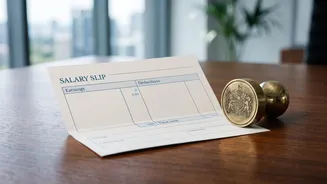
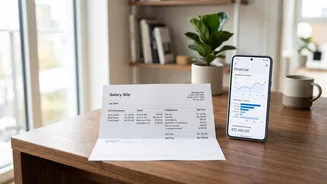
To spot a missing credit, systematically compare your monthly salary slips with the entries in your EPF passbook. Your payslip will show the exact amount deducted for your PF contribution. Check if this same amount appears in the 'Employee Contribution' column for the corresponding month in your passbook. Also, verify that your employer's contribution has been credited. If you see a deduction on your payslip but no corresponding credit in your passbook after the 15th of the next month, there might be an issue. Before raising an alarm, wait a few working days to account for any processing lags at the bank or EPFO's end.
First Step: Contact Your Employer
If you confirm a contribution is missing, the first and most direct step is to contact your company's HR or payroll department. Inform them about the specific month for which the credit is absent and provide a copy of your salary slip as proof of deduction. Often, the issue is a clerical error or a delay in filing that the employer can rectify internally. This approach is often the quickest way to resolve the problem without needing formal intervention. Keep a record of your communications with them, including dates and the responses you receive.
When to File a Grievance with EPFO
If your employer is unresponsive or fails to resolve the issue, you can escalate the matter directly to the EPFO. The EPF i-Grievance Management System (EPFiGMS) is an online portal designed for this purpose. To file a complaint, visit the EPFiGMS website, select your status as a 'PF Member', and enter your UAN for verification. You will need to describe your issue clearly, stating the months for which contributions are missing, and upload supporting documents like salary slips. Once submitted, you'll receive a unique registration number to track the status of your grievance online. This creates a formal, documented record that the EPFO is accountable to address.