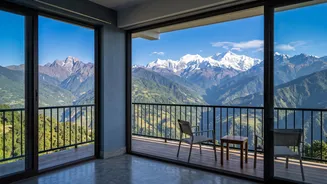







Bir Billing is a dream workation spot, but mountain internet can be unreliable. To ensure your remote work is productive and stress-free, finding a hostel with a solid internet connection is non-negotiable. This guide will help you do just that.
Go Beyond the 'Free Wi-Fi' Promise
Almost
every hostel advertises "free Wi-Fi," but for a workation, this promise is just the starting point. The quality of hostel internet can vary dramatically, from a single, overloaded router for an entire building to dedicated high-speed fiber connections. Your productivity depends on stability, not just a signal. You need to investigate the specifics: the actual speed, the reliability of the connection during peak hours, and what happens when the power inevitably goes out. Don't let a simple Wi-Fi icon on a booking site be your only guide.
Ask for a Speed Test Screenshot
This is the single most effective step you can take. Before booking, contact the hostel directly via email or WhatsApp and ask for a recent screenshot of a speed test (like from Ookla's Speedtest). This cuts through vague claims like "fast internet." For video calls and cloud-based work, you should aim for a minimum of 25-50 Mbps download and, crucially, at least 10 Mbps upload speed. Many hostels in Bir catering to digital nomads now have fiber optic connections and are happy to provide this proof. A hostel that is confident in its internet infrastructure will have no problem sending you a recent test result.
Inquire About Power Backup Systems
In mountain regions like Himachal Pradesh, power cuts are a common occurrence, especially during monsoon season or bad weather. A dead laptop during a client call is a workation nightmare. Therefore, a hostel's power backup system is just as important as its Wi-Fi. Ask specifically what kind of backup they have. Is it a basic inverter that only powers lights and fans, or is it a generator or UPS (Uninterruptible Power Supply) system that keeps the Wi-Fi router and your workstation running? Hostels serious about attracting remote workers often invest in robust generator and UPS failover systems.
Check for Dedicated Workspaces
A fast connection is only useful if you have a comfortable place to use it. While working from a beanbag in a common area sounds nice, it may not be practical for a full workday. Look for hostels that offer dedicated co-working spaces or quiet zones. These areas are designed for productivity, often featuring ergonomic chairs, proper desks, and ample power outlets. Listings on booking sites or the hostel's own website will often highlight these facilities with photos. A designated workspace also means you're less likely to be distracted by the social buzz of the common areas.
Read Recent Reviews from Fellow Remote Workers
Past guest experiences are a goldmine of honest information. When scrolling through reviews, filter for keywords like "internet," "Wi-Fi," "remote work," "power cut," and "speed." Pay close attention to reviews from the last few months, as internet infrastructure can change. Someone complaining about dropped Zoom calls a month ago is a major red flag. Conversely, a string of positive reviews from other digital nomads praising the connectivity and work-friendly environment is a strong signal that you've found a good spot.
Always Have a Personal Backup Plan
Even with the best hostel Wi-Fi, you should never be without a backup. Before you arrive, ensure you have a reliable mobile data plan that allows for hotspot tethering. In the Bir Billing area, Jio is often cited as having strong connectivity. A personal hotspot can be a lifesaver during a sudden Wi-Fi outage or if you simply want to work from a scenic café that has a weaker connection. Consider it your personal insurance policy for a productive workation.