




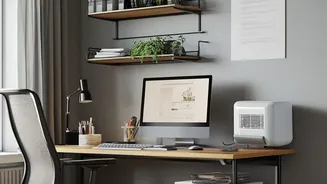

Prioritise Ergonomics for Your Health
Working from home is not a temporary arrangement anymore, and your body feels it first. Prioritising ergonomics is the most critical investment you can make. This goes beyond just buying a chair; it's about creating a system that supports your posture.
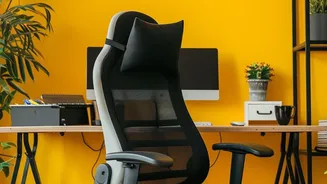
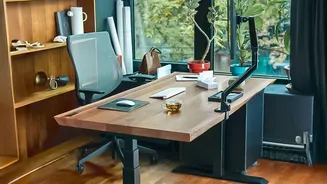
Start with a high-back ergonomic chair that offers adjustable lumbar support, armrests, and height. Your monitor or laptop screen should be at eye level to prevent neck strain, which can be achieved with a simple laptop stand or a stack of books. An external keyboard and mouse will allow you to position your hands and wrists naturally, reducing the risk of strain. Finally, consider a sit-stand desk or converter. Alternating between sitting and standing throughout the day improves energy levels and combats the negative health effects of a sedentary workday.
Invest in the Right Technology
A productive hybrid setup relies on seamless technology. Your most crucial tool is a stable, high-speed internet connection; without it, everything else fails. For endless video calls, a quality noise-cancelling headset is non-negotiable. It ensures you sound professional and helps you focus by blocking out household noise. A high-definition webcam is equally important for clear visual communication. While laptop cameras have improved, an external webcam often provides a significant quality boost. To expand your digital workspace and improve multitasking, consider adding a second monitor. This allows you to view multiple documents or applications simultaneously, which studies show can boost productivity significantly.
Create and Defend Your Workspace
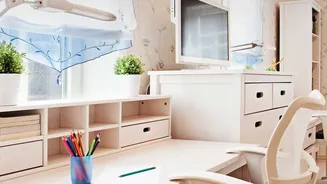
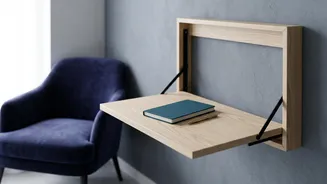
In many Indian homes, space is a premium. However, creating a dedicated work zone is vital for psychological separation between your professional and personal life. If you don't have a separate room, designate a specific corner of a room as your office. Use a rug, a bookshelf, or even a simple room divider to create a visual boundary. This physical separation helps your brain switch into 'work mode' when you enter the space and 'home mode' when you leave. It’s also crucial to communicate these boundaries with family members. A 'do not disturb' sign or simply explaining your work hours can help minimise interruptions and maintain focus.
Optimise Your Lighting and Environment
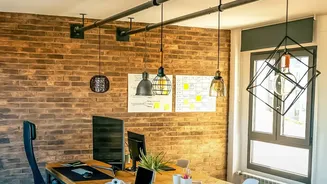
Never underestimate the power of good lighting. Position your desk to take advantage of natural light where possible, as it is proven to reduce eye strain and improve mood. However, avoid placing your monitor directly in front of a window, as the glare can be distracting. For evenings or darker rooms, ensure you have adequate ambient and task lighting. A good desk lamp can illuminate your workspace without causing screen reflections. Also, pay attention to what's behind you. A clean, organised, or virtual background for video calls presents a professional image and minimises distractions for your colleagues. A clutter-free desk also contributes to a clearer mind.
Establish Firm Routines and Boundaries
The best workspace is ineffective without routines to govern its use. The flexibility of hybrid work can easily lead to an 'always on' culture, risking burnout. Create a clear start and end to your workday and stick to it. Develop a 'commute' ritual, like a short walk, listening to a podcast, or changing out of your home clothes into 'work attire' to signal the start of the day. Schedule regular breaks in your calendar to step away from your screen, stretch, and recharge. At the end of the day, shut down your work computer and tidy your desk. This act of closing down the workspace helps you psychologically detach and fully transition back into your personal life.