







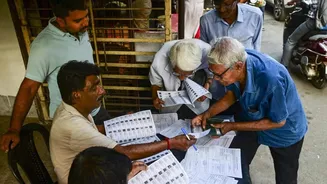
Why You Must Check Your Name
Simply possessing a Voter ID card, also known as the Electoral Photo Identity Card (EPIC), does not automatically guarantee your right to vote. Your name must be present on the official voter list for your specific constituency. Names can sometimes be missing
due to reasons like moving to a new address, changes in constituency boundaries, or administrative revisions of the electoral roll. Checking your status well in advance of an election gives you ample time to rectify any issues, such as a missing entry or incorrect details. The Election Commission of India (ECI) has made this process transparent and accessible through its online portals and dedicated mobile application, empowering every citizen to verify their details from the comfort of their home.
Using The Voters' Services Portal
The ECI's primary online hub for voter services is the Voters' Services Portal (voters.eci.gov.in). This platform provides a direct way to search the national electoral roll. On the homepage, look for the 'Search in Electoral Roll' option. The portal offers three main ways to conduct your search.
1. Search by EPIC: This is the most reliable method. Your EPIC number is a unique ID printed on your Voter ID card. Simply select your state, enter the EPIC number, and complete the verification captcha. This method avoids any confusion related to name spellings.
2. Search by Details: If you don't have your EPIC number handy, you can search using your personal information. You will need to enter your name, your father's or husband's name, your approximate age or date of birth, gender, state, district, and assembly constituency. Be mindful of spellings, as they appear on the official records; try different variations if your first attempt is unsuccessful.
3. Search by Mobile: If you have previously linked your mobile number to your voter record, you may be able to search using your number and an OTP verification.
After a successful search, your details, including your name, polling station, and serial number on the roll, will be displayed.
Using The Voter Helpline App
For those who prefer using their smartphones, the ECI's 'Voter Helpline' app is an incredibly useful tool. Available on both Android and iOS, this app consolidates numerous voter services into one convenient package. After downloading and opening the app, you can access the electoral roll search feature. Similar to the web portal, the app allows you to search for your name using your personal details, your EPIC number, or by scanning the QR code on your Voter ID card. The app provides a user-friendly interface that makes it easy to navigate through the steps. Beyond just searching for your name, the app can also be used to submit forms, track application status, find details about candidates, and even lodge complaints.
What To Do If Your Name Is Missing
If you search the electoral roll and cannot find your name, or if you discover incorrect details, don't panic. The first step is to double-check the information you entered for any typos. If your name is genuinely missing and you are an eligible citizen, you can apply for inclusion. This is done by filling out 'Form 6', which is the application for new voter registration. This form is available online through the same Voters' Services Portal. You will need to provide your personal details and upload supporting documents for proof of age and address. Similarly, if you need to make corrections to your existing details (like a spelling error or wrong address), you can submit 'Form 8'. It is crucial to complete these processes well before an election is announced to ensure your application is processed in time. For any further assistance, you can call the national voter helpline at 1950.