





The High Cost of Makeshift Setups
The rapid shift to remote work has meant that kitchen tables, sofas, and spare bedroom corners have become our full-time offices. While convenient, these impromptu workstations often skip basic ergonomic principles, leading to a rise in musculoskeletal
issues. It’s not just about comfort; it's about the cumulative physical stress that turns a minor ache into a chronic condition. When you sit for hours in a position that isn’t neutral, your body compensates. Muscles in your neck, shoulders, and back are forced to work overtime, leading to strain, stiffness, and persistent pain. The problem isn’t just one bad habit, but how small misalignments create a domino effect of discomfort throughout the body.
Monitor Height and the Burden on Your Neck
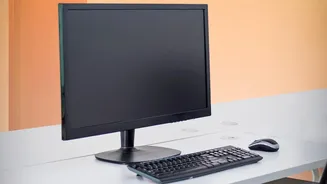
The most common ergonomic mistake is incorrect monitor height, which directly leads to neck and shoulder pain. When your screen is too low, you instinctively tilt your head down. This posture, often called 'forward head posture' or 'text neck', drastically increases the strain on your cervical spine. Your head weighs roughly 10-12 pounds, but for every inch it juts forward from its neutral alignment over your shoulders, its effective weight on your neck can double. Holding this position for hours a day forces the muscles in your neck and upper back into a constant state of tension, which can result in stiffness, chronic pain, and even headaches. The fix is simple: position your monitor so the top edge of the screen is at, or just slightly below, your eye level. This allows you to view the entire screen with a neutral neck posture, keeping your head balanced over your spine.
Chair Depth and Its Link to Lower Back Pain
While lumbar support gets a lot of attention, an often-overlooked feature that is critical for back health is seat depth. Seat depth refers to the distance from the front edge of the seat to the backrest. If it’s incorrect, even the best lumbar support becomes ineffective. If a seat is too deep, its front edge will press into the back of your knees, which can restrict circulation. To relieve this pressure, you will naturally slide forward, creating a gap between your lower back and the chair’s backrest. This slumped posture flattens the natural curve of your spine, placing significant strain on your lower back discs. Conversely, if a seat is too shallow, your thighs won't be properly supported, concentrating your body weight on a smaller area and forcing your back muscles to work harder to keep you stable. The rule of thumb is to adjust your seat so you can fit two or three fingers between the back of your knees and the front edge of the seat while your back is firmly against the backrest.
Creating a Foundation for Neutral Posture
Fixing your monitor height and chair depth does more than just address your neck and back; it creates the foundation for a healthy, neutral posture. With your spine properly supported by the chair and your head aligned over your shoulders, you prevent a cascade of postural problems. A correct chair depth enables your feet to rest flat on the floor with your knees at or slightly below your hips, stabilizing your entire lower body. This stable base, combined with an eye-level monitor, keeps your shoulders relaxed and your wrists in a more neutral position for typing. These two adjustments work together to distribute your body weight evenly, reduce static muscle load, and prevent the fatigue and pain that build up over the workday. Think of it as aligning the core components of your workstation to support your body’s natural structure, rather than forcing your body to adapt to a poorly arranged setup.