





The Twin Burdens: Digital Strain and Dry Air
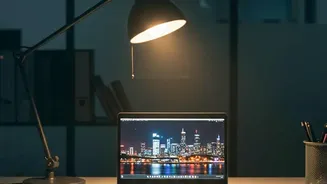
Many office workers spend over seven hours a day staring at screens. This constant engagement leads to digital eye strain, with common symptoms including headaches, blurred vision, and neck pain. The culprit is twofold: the intense focus required, which
reduces our blink rate by up to 60%, and exposure to high-energy blue light. While blue light from the sun helps keep us alert, artificial blue light from screens, especially at night, can suppress melatonin production, the hormone that signals our bodies to sleep. Compounding this is the issue of indoor air quality. Heating and air-conditioning systems often create an environment with low humidity, which can lead to dry skin, irritated sinuses, and respiratory discomfort. Together, these factors create a physically taxing environment that can sap energy and reduce focus.
Tackling Blue Light and Eye Strain
Protecting your eyes doesn't require drastic measures. Start with the '20-20-20 rule': every 20 minutes, look at something 20 feet away for 20 seconds. This simple practice relaxes your focusing muscles. Next, optimize your screen. Position your monitor so the top is at or slightly below eye level, about an arm's length away. Reduce glare by placing your screen at a right angle to windows, not directly in front of or behind them. Most operating systems also have built-in 'night mode' or 'night light' features that warm the screen's color temperature in the evening; enable them to automatically reduce blue light exposure when it's most disruptive to sleep. You can also manually lower your screen's brightness to match the ambient light in your room.
Rehydrating Your Personal Workspace
Combating dry office air is key to comfort. The simplest step is to stay hydrated by drinking plenty of water throughout the day. You can also introduce a personal, small-format humidifier for your desk space. These devices add moisture directly to your immediate environment, helping to alleviate dry eyes and skin. Another effective and aesthetically pleasing solution is to add plants to your workspace. Through a process called transpiration, plants release moisture into the air, naturally increasing humidity levels. Species like peace lilies, spider plants, and snake plants are low-maintenance and well-suited for office environments, acting as natural air purifiers and humidifiers.
Bringing It All Together With Better Ergonomics
These adjustments are most effective when combined with good overall ergonomics. Ensure your chair provides proper lumbar support and allows your feet to rest flat on the floor. Your elbows should be at a 90-degree angle, with your wrists in a neutral position while typing. An ergonomic setup reduces the physical stress that can exacerbate the discomfort from eye strain and a dry environment. Taking short, regular breaks to stand up and stretch also improves circulation and gives both your eyes and body a necessary reset. These small habits, from adjusting your monitor to adding a plant to your desk, work together to create a significantly healthier and more productive workspace.