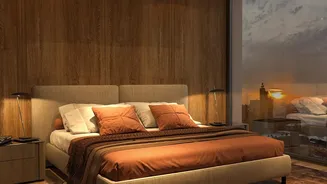



Why Mismatched Photos Hurt Your Hotel
In the hospitality industry, visual first impressions are everything. Photos are often the most critical factor in a guest's decision to book. When the reality of a room doesn't match the promise of the photos, the consequences are immediate and damaging.
It starts with guest disappointment at check-in, which can lead to negative online reviews that deter future bookers. Studies show that misleading images significantly lower brand trust and can provoke customer anger and regret. This disconnect between expectation and reality not only harms your hotel's reputation but also has financial implications. It can result in demands for discounts, room changes that disrupt operations, and even credit card chargebacks from disgruntled guests. Ultimately, inaccurate photos suggest a lack of care and transparency, making it harder to justify rates and build loyalty.
The Common Flaw in Photo Audits
Many hotels conduct regular checks of their online photo galleries. The typical process involves scrolling through a gallery of images to spot any that are outdated, low-quality, or unflattering. While this is a good first step, it misses the most important connection: how these photos are assigned to specific room categories across different booking channels. A beautiful photo of a newly renovated suite is useless—or even harmful—if it's incorrectly tagged to a standard room listing on an Online Travel Agency (OTA). The core problem is auditing photos in isolation without simultaneously referencing the room types they represent. Room category names can also vary between a hotel's property management system (PMS) and its public-facing listings, adding another layer of potential confusion.
Step 1: Create a Master Category List
A successful photo audit begins with organization, not with looking at pictures. The first step is to create a comprehensive spreadsheet of every single room category you sell. Pull this information directly from your Property Management System (PMS) to ensure accuracy. For each room type (e.g., 'King Deluxe', 'Queen Standard', 'Family Suite with Balcony'), list its defining and unique features. Document the bed configuration, square footage, specific views, and key amenities like a bathtub, sofa bed, or private patio. This master list becomes your single source of truth, establishing exactly what each category promises the guest. This foundational document will guide your entire audit, turning a subjective review into an objective, systematic check.
Step 2: Map Photos to Categories on All Channels
With your master list in hand, the next step is to perform the audit channel by channel. Open your hotel’s website, and then open each OTA you partner with (like Booking.com, Expedia, etc.) in separate tabs. Go through your room types one by one on each platform. For your 'King Deluxe', for example, review every single photo assigned to it. Does every image accurately reflect the features on your master list for that category? Pay close attention to the primary image for each room type, as it has the most influence. This is a meticulous, room-by-room process. You are no longer just asking, "Is this a nice photo?" You are asking, "Does this photo accurately represent the 'King Deluxe' room a guest will get if they book on this specific website?" Document any mismatches, outdated images, or incorrect assignments in your spreadsheet.
Step 3: Align Descriptions, Amenities, and Visuals
A truly thorough audit goes beyond just the pictures. While you are reviewing the photos for each room category, take a moment to read the accompanying text. Ensure the room descriptions and listed amenities are also accurate and consistent with the visuals. If the photos for the 'Family Suite with Balcony' clearly show a balcony, the description must mention it, and it should be listed in the amenities. Consistency across all three elements—photos, descriptions, and amenities—builds guest confidence and prevents confusion. This is also an opportunity to ensure your descriptions highlight the key differences between room types, helping to justify price variations and encourage upsells. Correcting a photo is good, but ensuring the entire listing is coherent is even better for driving conversions and guest satisfaction.