

Your Phone is a Planetarium
Not long ago, finding faint deep-sky objects required star charts, specialized knowledge, and a lot of patience. Today, your phone can do the heavy lifting. Stargazing apps use your device's built-in GPS and compass to create a real-time map of the sky above
you. By simply pointing your phone upwards, these apps identify stars, constellations, planets, and even galaxies, blending the digital world with the real one through augmented reality (AR). This technology transforms a potentially frustrating hunt into a guided tour of the cosmos, making it the perfect tool for beginners.
Choose Your Digital Star Chart
The app store is filled with options, but for finding Andromeda, you want an app that is user-friendly and excels at object identification. Many of the best are free or have highly capable lite versions. Popular choices like SkyView Lite, Star Walk 2, and Stellarium are excellent starting points. SkyView Lite is praised for its intuitive augmented reality, which overlays constellation lines on your camera's live view. Star Walk 2 is often recommended for beginners due to its beautiful interface. Stellarium is a powerhouse known for its realism and is often considered a top free choice for both Android and iOS. Any of these will guide you, so pick one that feels comfortable to you.
First, Find Your Celestial Signpost
Before you can find Andromeda, you need to find its neighbourhood. The easiest landmark is the constellation Cassiopeia. Look to the northern sky for a distinct 'W' or 'M' shape made of five bright stars. This constellation is your starting point for a technique called "star-hopping." One side of the 'W' is a deeper 'V' shape than the other. This deeper 'V' acts as a natural arrow in the sky, pointing almost directly toward where the Andromeda galaxy is located. Finding Cassiopeia with your naked eye is the crucial first step to bridging the gap between your app and the actual night sky.
From Screen to Sky: The Final Steps
Now, let's put it all together. Once you’ve located Cassiopeia with your own eyes, open your stargazing app. Hold your phone up in the same direction and confirm the 'W' on your screen. Now, use the app's search function to find "Andromeda Galaxy" or "M31." The app will show you its precise location relative to Cassiopeia. Pay attention to the star patterns on your screen between Cassiopeia and Andromeda. Lower your phone and, using just your eyes, try to trace that same path in the sky. Now, raise your binoculars to that exact spot. Don't sweep around wildly; move slowly and deliberately. The key is to use the app to understand the location, then find it with your eyes before using the binoculars.
Managing Expectations: What You'll See
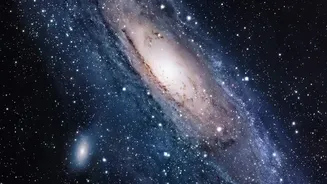
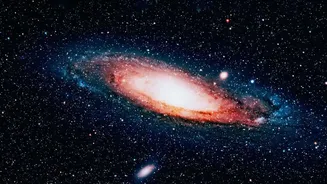
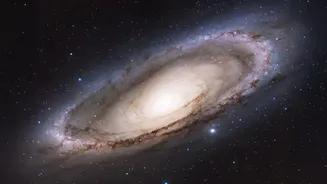
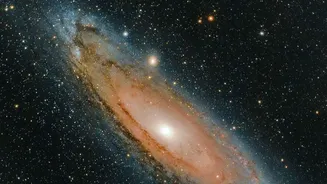
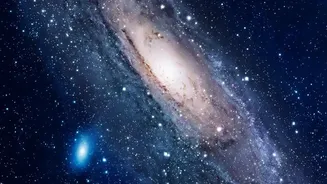
It’s important to know what you’re looking for. Through a standard pair of binoculars, the Andromeda galaxy will not look like the spectacular spiral images from the Hubble telescope. Instead, you will see a faint, fuzzy patch of light. It often appears as a small, elongated oval smudge with a slightly brighter center, or core. The visibility depends heavily on how dark your location is; under city skies, you may only see the bright core, while a truly dark sky will reveal more of its faint glow. Spotting this smudge is a profound experience, as you are seeing the combined light from hundreds of billions of stars that has traveled for millions of years to reach you.