





The Old Way vs. The New Workflow
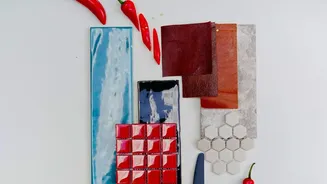
Traditionally, creating a mood board was a hunt. Designers spent hours scouring Pinterest, stock photo sites, and magazines for images that captured a project's intended feeling, color palette, and style. The process was creative but time-consuming and often
limited by what could be found. Today, AI image generators have flipped the script. Instead of searching for existing visuals, designers now generate entirely new ones from text prompts, turning abstract ideas into tangible concepts in minutes. This shift accelerates the entire design cycle from the very beginning.
Choosing Your AI Co-Pilot
Several AI tools have become central to this new workflow. Midjourney is a favorite among creatives for its ability to produce artistic and intricate images from descriptive text. Other powerful tools like DALL-E, and platforms with integrated AI features like Canva and Microsoft Copilot, also allow designers to generate visuals quickly. Some platforms are even specializing in brand-specific asset creation, learning a company's visual style to produce consistent, on-brand content. The choice of tool often depends on the desired style, level of control, and how it integrates with the rest of the designer's software toolkit.
The Art of the Prompt
The core of this AI-driven process is prompt engineering. A designer doesn't just type "a logo"; they write a detailed description to guide the AI. An effective prompt might include the desired mood, color palette, artistic style, lighting, and composition. For example, a prompt could be: "A mood board for a luxury skincare brand with a minimalist, earthy aesthetic. Feature soft, natural lighting, pastel color palettes of sage green and dusty rose, close-up textures of stone and plants, and clean, elegant typography." This skill allows the designer to art-direct the AI, ensuring the generated images align with the strategic goals of the project.
From Generation to Curation
AI can generate hundreds of visual ideas in a short time, but this output is just the raw material. The designer's role then shifts from hunter-gatherer to expert curator. They sift through the generated options, selecting the images that best tell a cohesive visual story. This curation process is where human intuition and design expertise become critical. The selected images are then arranged, sometimes blended with manually sourced photos or edited in traditional software like Photoshop, to create a polished and intentional final mood board. This curated collection serves as the definitive guide for the rest of the project.
Benefits Beyond Speed
The most obvious advantage of using AI is speed, cutting down a process that could take days into a matter of hours or even minutes. But the benefits go deeper. AI helps designers break out of their usual creative patterns and explore unconventional ideas they might not have considered otherwise. It expands the scope of creative exploration, allowing teams to present clients with multiple, highly-developed visual directions early in the process. This leads to faster client alignment and reduces time-consuming revisions down the line.
Maintaining the Human Touch
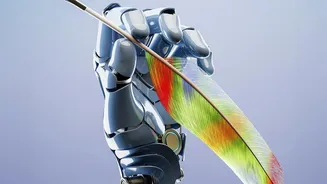
A common concern is that AI will replace designers. However, practitioners see it differently. They argue that AI is a tool that handles the tedious parts of ideation, freeing up creatives to focus on strategy, storytelling, and higher-level thinking. The AI can generate an image, but it can't understand a client's business goals or a brand's soul. The designer's expertise is still needed to guide the tool, interpret the results, and weave the visuals into a meaningful brand identity. In this workflow, the designer becomes less of a technician and more of a creative director.