




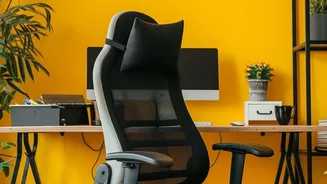
The Foundation: Your Chair and Feet
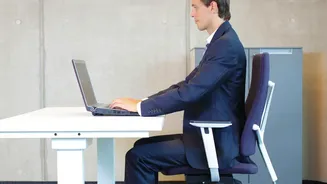
Everything starts with how you sit. Before you worry about the screen or keyboard, your chair is the foundation of a healthy setup. The goal is to create stable, natural angles for your body. Begin by standing next to your chair and adjusting the seat
height until it is roughly level with your knees. When you sit down, your feet should be flat on the floor with your thighs parallel to the ground. If your feet are dangling, use a footrest or a stack of sturdy books to bring the floor up to them. Avoid crossing your legs, as this can disrupt pelvic alignment and strain your lower back. Your knees should be at a 90-degree angle, and your hips should be in line with or slightly higher than your knees. This position creates a stable base that supports the rest of your spine.
Perfect Your Posture and Back Support
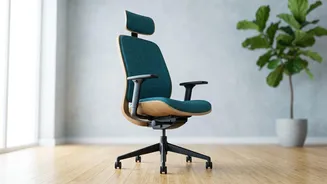
Once your feet and legs are correctly positioned, focus on your back. You should sit all the way back in your chair so that your buttocks and lower back are pressed against the backrest. This prevents you from slumping forward, which puts significant stress on your spinal discs. An ergonomic chair will have built-in lumbar support that fits into the natural curve of your lower back. If your chair lacks this, you can create your own by placing a small cushion or a rolled-up towel in the small of your back. The backrest should be at a comfortable angle, typically between 90 and 110 degrees, to support an upright but slightly reclined posture. Your shoulders should be relaxed and pulled back, not hunched forward, with your ears aligned directly over them.
Adjust Your Screen to Eye Level
A poorly positioned monitor is a primary cause of neck and shoulder pain. The golden rule is to position the top of your screen at or just slightly below your eye level. When you look straight ahead, your gaze should fall on the top third of the monitor. This allows you to view the entire screen without tilting your head up or craning your neck down. To check the distance, sit back in your chair and extend your arm; your fingertips should just about touch the screen. This is typically about 20-30 inches away. If you primarily work on a laptop, the attached screen is almost always too low, forcing you to hunch. To fix this, use an external keyboard and mouse and place your laptop on a stand or a stack of books to raise the screen to the proper height.
Position Your Keyboard and Mouse
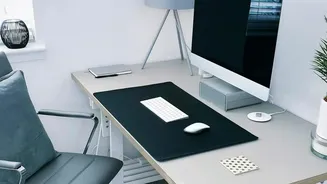
Your keyboard and mouse should be positioned to keep your arms and wrists in a neutral, relaxed state. Adjust your setup so that your keyboard is at a height that allows your elbows to be bent at roughly a 90-degree angle. Your shoulders should be relaxed, not elevated, and your wrists should be straight and in line with your forearms, not bent up or down. Place the keyboard close to the front edge of your desk, leaving just enough room to support your palms if needed, but avoid resting your wrists on a hard edge. The mouse should be placed right next to the keyboard to prevent you from reaching and straining your shoulder. Constantly stretching for the mouse can lead to significant discomfort over time.
Incorporate Regular Movement
Even the most perfectly ergonomic desk setup cannot completely protect you from the negative effects of a sedentary day. Static posture, no matter how good, still puts a load on your muscles and spine. It's crucial to take regular breaks to stand up, stretch, and move around. Set a timer to remind yourself to get up at least once every hour. A short walk around the room, a few simple stretches, or just standing for a few minutes can help relieve muscle tension, improve circulation, and give your eyes a break from the screen. These micro-breaks are just as important as the initial setup for preventing long-term pain and discomfort.