





Planning a trip to India? The government has made the Air Suvidha Self-Declaration Form (SDF) a mandatory step for all international arrivals. This guide breaks down everything you need to know for a hassle-free entry.
What is the Air Suvidha 2.0 Form?
Air Suvidha is an online portal where
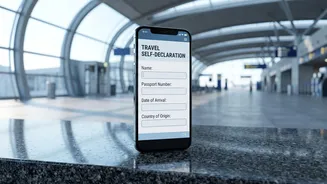
all international passengers must submit a Self-Declaration Form (SDF) before arriving in India. Initially introduced during the COVID-19 pandemic, the 'Air Suvidha 2.0' version has been made mandatory again following a health advisory issued in June 2026 by the Directorate General of Health Services. This measure is in response to the ongoing Ebola disease outbreak and is designed to strengthen public health surveillance at airports. The system allows immigration and health officials to screen passengers' health status and travel history digitally, ensuring a smoother and more efficient clearance process upon arrival.
Who Is Required to Fill the Form?
The requirement is universal for all passengers arriving in India via international flights. According to a recent reminder from the Bureau of Immigration, the rule is not optional and applies to everyone, regardless of nationality or travel history. This includes Indian passport holders, Overseas Citizen of India (OCI) cardholders, and foreign nationals. The form must be filled out for every individual traveller, though one person can submit the details for up to four family members in a single submission, with each person receiving an individual acknowledgement.
Documents and Details to Keep Ready
To ensure a smooth and quick submission process, it's best to gather all necessary information before you start. The official portal requires you to have several key details on hand. You will need your valid passport and, if applicable, a valid Indian visa. Keep your flight ticket or boarding pass nearby for details like the flight number and your first port of arrival in India. You must also provide the full address of your stay in India, your travel history for the preceding 21 days (including any transit countries), and a working mobile number and email ID for One-Time Password (OTP) verification.
A Step-by_Step Guide to Filling the Form
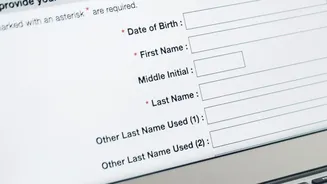
The process is straightforward and can be completed on the official Air Suvidha portal (airsuvidha.civilaviation.gov.in). First, enter your personal details exactly as they appear on your passport, along with your flight information. Next, provide your contact details, including your address in India, mobile number, and email. You will receive an OTP to verify this information. The form will then ask you to declare your travel history for the past 21 days and answer questions related to your health status. After reviewing all the information for accuracy, consent to the declaration and submit the form. It's crucial to use only the official government portal, as the submission is completely free of charge.
When and How to Submit
The Air Suvidha form should be filled out online before you board your flight to India. Officials recommend completing it at the same time as your web checkin to avoid any last minute rush. While the form can be submitted up to 72 hours before arrival, many guidelines suggest filling it within 24 hours of your flight. Once submitted, you will receive an acknowledgement with a registration number via email. You should download this acknowledgement and keep a digital or physical copy handy, as you may be required to show it to health officials upon arrival at the airport in India.
What Happens After You Land?
On arrival, passengers may be asked to present their Air Suvidha acknowledgement at the International Travel Health Desk. Based on the information provided in your declaration, an Airport Port Health Officer may conduct additional screening or ask further questions. The digital system helps authorities quickly identify travellers who might require further health assessment, but for most passengers who have completed the form correctly, it facilitates a smoother journey through the airport's arrival formalities. If you arrive without having completed the form, you should approach the health desk for guidance, but be prepared for potential delays.