








The Transcript Tangle: A Familiar Problem
Every professional knows the feeling. You’ve just finished a crucial hour-long meeting, a client call, or a brainstorming session. It was recorded for accuracy, but now you’re left with a daunting multi-page transcript. Somewhere inside that dense block
of text are the golden nuggets: key decisions, assigned tasks, important deadlines, and valuable insights. But finding them is like panning for gold in a river of words. Manually sifting through conversations is time-consuming, prone to error, and a major drain on productivity. Action items get missed, responsibilities become unclear, and momentum stalls before a project can even begin. This disorganisation is more than just an annoyance; it’s a bottleneck that actively hinders progress and clarity.
Enter AI: Your New Project Assistant
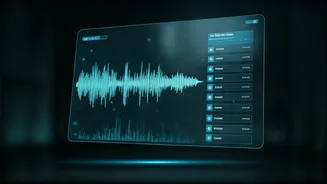
This is where Artificial Intelligence (AI) steps in, not as a futuristic concept, but as a practical, everyday tool. Modern AI-powered transcription services do far more than just convert speech to text. They act as intelligent assistants that can listen, understand, and organize conversations. These platforms are designed to analyse the content of your meetings, automatically identifying who said what (a feature known as speaker diarization), pinpointing key topics, and even suggesting action items. Instead of presenting you with a raw, unformatted script, they deliver a structured, searchable, and summarised version of your discussion. This shift from a simple record to an intelligent summary is the key to unlocking the true value hidden within your team’s conversations.
Step 1: Choose the Right AI Tool
The market is filled with excellent AI transcription tools, so choosing one depends on your specific needs. Don’t just look for basic transcription accuracy. For building timelines, you need more advanced features. Look for a service that offers robust speaker identification to know who is accountable for a task. Powerful keyword search and topic extraction are crucial for quickly finding discussions about deadlines or deliverables. Most importantly, check for 'Action Item Detection' or 'Automated Summaries'. These features use AI to automatically flag sentences that sound like tasks or decisions (e.g., “I will send the report by Friday”). Also, consider integrations with project management software like Asana, Trello, or Slack, which can make transferring your timeline seamless.
Step 2: Generate and Refine the Transcript
Once you've selected a tool, the process is straightforward. You either connect the AI assistant to your live meeting (e.g., via Zoom or Google Meet) or upload the audio/video file afterwards. The AI will process the file and produce a full transcript within minutes. While modern AI is remarkably accurate, it’s not perfect. The first crucial step is a quick human review. Spend five to ten minutes scanning the transcript. Correct any misidentified speaker names, fix industry-specific jargon that the AI may have misunderstood, and clean up any obvious errors. This small investment of time ensures the foundation of your timeline is accurate and reliable.
Step 3: Build Your Timeline from AI Insights
Now for the transformation. Instead of reading the entire transcript, use the AI-generated features as your guide. Start with the automated summary to get a high-level overview of the meeting’s outcomes. Next, navigate directly to the 'Action Items' or 'Tasks' section. Here, the AI will have listed potential to-dos. For each one, verify the task, the person responsible (thanks to speaker ID), and any mentioned deadline. Use the search function to find keywords like “deadline,” “by next week,” or “EOD” to pinpoint timelines. As you identify each task and deadline, copy it into a simple document or a dedicated project management tool. You are no longer reading; you are actively building a structured timeline of who does what, and by when.
Step 4: Share and Integrate the Final Timeline
A timeline is only useful if it’s visible and accessible to the entire team. Once you’ve compiled the key tasks and deadlines, formalise them. If your AI tool integrates with your project management platform, you can often export these tasks with a single click, automatically creating tickets or cards assigned to the right people. If not, a simple, clean email summarising the timeline works just as well. The format should be clear: Task Description, Owner, and Due Date. By circulating this concise timeline, you eliminate ambiguity and ensure everyone is aligned on the next steps. The raw transcript can be stored for reference, but the AI-generated timeline becomes the team’s single source of truth for moving forward.