



Beyond Simple Transcription
For years, speech-to-text technology was a simple dictation tool, a way to type without using your hands. While helpful, its application for students was limited. Today, powered by artificial intelligence, these tools have evolved into smart assistants.
Modern voice-to-text apps don't just capture your words; they can understand them. This means they can automatically generate summaries, identify keywords, and most importantly, flag potential action items or tasks mentioned during a lecture or a spoken brainstorming session. This shift transforms the technology from a passive recording device into an active partner in your academic workflow.
From Lecture to Action Plan
The real magic happens in the transition from listening to doing. Imagine you're in a history lecture. The professor says, “For next week, I want you to research the economic impact of the spice trade and prepare a one-page summary.” Instead of scrambling to write this down and potentially missing the next point, you can remain focused on the lecture. Later, the AI-powered transcript will not only have a record of this instruction but can be configured to recognise phrases like “for next week” or “prepare a summary” as a task. Many tools can then create a checklist or directly integrate with calendar and to-do list apps, turning a professor's verbal instruction into a scheduled assignment with a deadline, all with minimal manual effort.
Choosing the Right Tools
A wide array of tools is available, from built-in features on your smartphone to sophisticated, subscription-based applications. Free options like Google Docs Voice Typing are incredibly accessible and work directly in a browser, supporting numerous languages. Dedicated AI note-taking apps such as Otter.ai or Microsoft 365's integrated tools often provide more advanced features like real-time transcription, speaker identification in discussions, and automatic summarisation. When choosing, consider what you need most. Do you need to transcribe live lectures, or upload audio files later? Do you work in groups and need to distinguish between speakers? Look for features that match your specific study habits.
Best Practices for Success
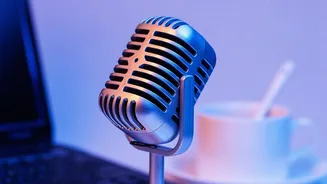
To get the most out of this technology, a few simple habits can make a huge difference. First, ensure clear audio. While many apps are good at filtering background noise, sitting closer to the speaker or using a quality microphone will always yield a more accurate transcript. Second, learn to use verbal cues. You can train yourself to say things like “Action item: Schedule library time” or “To-do: Find three sources on this topic.” Many apps can then filter for these keywords. Finally, always review the output. AI is powerful but not perfect. A quick scan of the transcript and the generated tasks ensures nothing was misunderstood or overlooked, allowing you to edit or clarify as needed.
Freeing Up Your Mind to Learn
Perhaps the greatest benefit is not just the time saved, but the cognitive load that is lifted. The pressure to capture every single word in a lecture can prevent students from actually engaging with the concepts being taught. By entrusting the note-taking and task-capturing process to technology, you free up your mental bandwidth to listen critically, ask questions, and make connections. This deeper level of engagement can lead to better comprehension and retention of material. The technology handles the administrative work of documentation, allowing your brain to focus on its primary job: learning.