





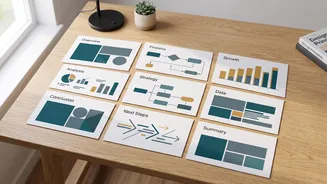

From Manual Drudgery to Automated Design
For decades, creating a presentation meant a significant time investment in design. Choosing layouts, aligning text boxes, sourcing images, and ensuring brand consistency was a tedious process, especially for those without a design background. This often
took valuable time away from what truly matters: the content and the core message. For college students juggling multiple deadlines, this design burden can be overwhelming, leading to rushed, text-heavy slides that fail to engage an audience. AI presentation makers are designed to solve this exact problem. By automating the most time-consuming aspects of slide creation, these tools allow users to focus on refining their arguments and preparing for delivery. Instead of starting with a blank canvas, you start with your ideas, letting the AI handle the structural and visual heavy lifting.
How AI Turns an Outline into a Presentation
The process seems like magic, but it’s powered by a combination of sophisticated AI technologies. At its core, an AI presentation maker uses Natural Language Processing (NLP) to understand the content you provide. When you input a lecture outline, the AI doesn't just see words; it analyzes the structure, hierarchy, and meaning. It identifies main topics, sub-points, lists, and the relationships between different pieces of information. Once the AI understands the content, it generates a logical structure for the presentation. It determines which points should be title slides, which are main body slides, and how to sequence the information for a clear narrative flow. Simultaneously, the AI acts as an automated designer, selecting appropriate layouts, fonts, and color schemes based on the topic. Many tools also generate or source relevant images and icons to create a visually compelling deck, transforming raw text into a polished presentation in minutes.
Writing an Effective Outline for AI
While these tools are powerful, the quality of the output depends heavily on the quality of the input. A vague or poorly structured outline will lead to a generic or confusing presentation. To get the best results, your outline should be as clear and specific as possible. Start by defining the goal of your presentation and your target audience. Structure your outline with clear headings and subheadings, using bullet points for supporting details. This hierarchy helps the AI understand the flow of information. Instead of just listing topics, phrase your points as complete thoughts or arguments. You can also give the AI instructions regarding tone (e.g., academic, formal, engaging) and desired length (e.g., “create a 10-slide presentation”). Providing this context helps the AI tailor the language and design more effectively.
Popular Tools and What to Expect
The market for AI presentation makers is growing rapidly, with several key players offering different strengths. Tools like Gamma and Prezi AI excel at creating dynamic, web-based presentations that feel more like interactive stories than traditional slides. Others, such as Beautiful.ai, focus on enforcing design consistency with smart templates that automatically adapt as you add content. Established platforms are also integrating AI, with Microsoft's Copilot for PowerPoint and Google's Gemini for Slides allowing users to generate decks directly within the software they already use. Many of these services offer free plans or trials, allowing you to experiment and see which workflow best suits your needs. While they can generate a full deck from a simple prompt, they are most effective when you provide a detailed outline or an existing document.
AI as a Starting Point, Not a Final Product
It’s crucial to view AI-generated presentations as a first draft, not a final, polished product. The AI provides an excellent foundation, saving hours on initial structuring and design. However, human oversight remains essential. Always fact-check the content, as AI can sometimes generate inaccurate information. Refine the wording to ensure it reflects your unique voice and perspective. You may also need to customize the visuals or adjust layouts to better suit specific points. Think of the AI as a highly efficient assistant; it does the prep work, freeing you up to focus on the higher-level tasks of critical thinking, storytelling, and ensuring your presentation truly connects with your audience.