





Your Chair: The Foundation of Good Posture
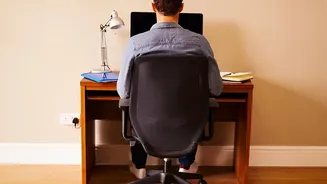
Your chair is the most critical piece of the ergonomic puzzle. Start by adjusting the height so your feet rest flat on the floor with your knees bent at roughly a 90-degree angle. Your thighs should be parallel to the floor or angled slightly down. If
your feet dangle, use a footrest to provide stable support. Next, address the backrest. It should be positioned to support the natural curve of your lower back. If your chair lacks built-in lumbar support, a small pillow or a rolled-up towel can work wonders. Ensure there’s a small gap, about two to three fingers wide, between the front edge of the seat and the back of your knees to promote good circulation. Finally, adjust the armrests so your elbows can rest comfortably at about a 90-degree angle, allowing your shoulders to relax.
Monitor and Desk: Aligning Your View
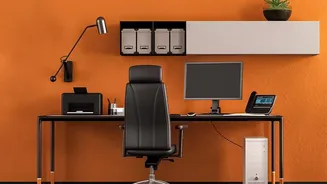
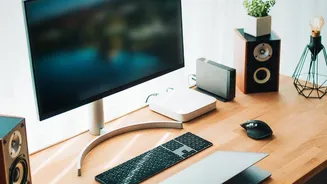
Incorrect monitor placement is a primary cause of neck and shoulder strain, which can radiate to your lower back. Position your monitor about an arm's length away from your face. The top of the screen should be at or just below your eye level, ensuring you look slightly downward at the center of the screen. This prevents you from craning your neck up or hunching down. If you're using a laptop, elevate it on a stand or a stack of books and use an external keyboard and mouse to achieve this position. Your desk should be at a height that allows your forearms to be parallel to the floor when typing, with your elbows bent at that comfortable 90-degree angle.
Keyboard and Mouse: Keeping Wrists Neutral
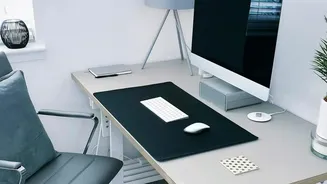
Your keyboard and mouse should be close enough that you don’t have to reach or lean forward to use them. They should be at the same level, allowing your wrists to remain straight and in a neutral position while you work. Avoid bending your wrists up, down, or to the sides. If your desk edge presses into your wrists, using a padded wrist rest or even a folded towel can help reduce pressure. The goal is to create a compact triangle between your monitor and input devices, keeping your head, shoulders, and hands aligned and relaxed.
The 90-90-90 Rule: A Simple Starting Point
A simple guideline for desk posture is the 90-90-90 rule. This involves aiming for three right angles: your elbows bent at 90 degrees, your hips at 90 degrees, and your knees at 90 degrees with your feet flat on the floor. While this was once seen as the gold standard, experts now view it as a useful starting point rather than a rigid position to hold all day. Use it as a reference to set up your chair and desk correctly, but remember that the best posture is a dynamic one. Your body isn't designed to stay static for hours.
Beyond the Setup: Movement Is Your Best Tool
Even the most perfect ergonomic setup can't compensate for a lack of movement. Sitting for prolonged periods, even with good posture, can lead to muscle stiffness and pain. Make it a habit to get up and move every 30 minutes. Walk to get some water, do a few simple stretches, or just stand up while on a phone call. Gentle stretches like a seated torso twist or a standing back extension can help relieve tension in your lower back. For a seated twist, sit straight, cross one leg over the other, and gently twist your torso toward the raised knee, holding for 15-30 seconds before switching sides. These microbreaks rehydrate your spinal discs, lubricate your joints, and give your muscles a much-needed reset.