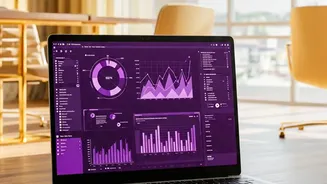









What is Claude's Office Suite Expansion?
In a significant move to compete with giants like Microsoft and Google, Anthropic has launched a series of new productivity tools within its Claude AI ecosystem. The most notable of these is Claude Sheets, a native spreadsheet application that works directly
inside the Claude interface. This is part of a broader expansion that also includes Claude Whiteboards for brainstorming and Claude Meetings, an agent that can join video calls to take notes. The goal is to create a seamless workflow where ideas can move from a whiteboard to a spreadsheet to a dashboard without losing context, all orchestrated by the AI. Instead of just suggesting formulas for you to copy into another program, Claude can now build and edit the spreadsheet itself.
The 'Sheets' Level: Everyday Productivity, Accelerated
Claude Sheets excels at the tasks that occupy the majority of a typical user's time. You can ask it in plain English to build a budget tracker, a project timeline, or a campaign plan, and it will generate a working spreadsheet with multiple tabs, formulas, and formatting. It’s a powerful tool for cleaning messy data—for instance, standardizing inconsistent entries or flagging missing values. It can also generate formulas from a simple description, like 'sum column C where column B is this quarter'. Since Claude works directly in the sheet, it can highlight the cells it changes, making its work easy to track. For many common business tasks, this represents a major boost in productivity, handling the initial setup and grunt work that often bogs users down. You can also export these files to standard .xlsx or .csv formats if needed.
The 'Full Excel' Gap: Where Human Experts Still Dominate
Despite its strengths, Claude Sheets is not yet a replacement for the full power of Microsoft Excel, particularly for advanced users. As of its beta launch, the tool has several key limitations. It cannot create pivot tables, use protected ranges, or run complex macros written in VBA—the programming language that automates sophisticated tasks in Excel. Furthermore, there is a hard limit on the size of the data it can handle (around 100,000 cells) and it cannot yet pull live data from connected applications. Fundamentally, all large language models, including Claude, can struggle with complex, multi-step calculations and reasoning, as they are designed to recognize patterns in text, not to function as calculators. This makes them unreliable for certain business-critical numerical tasks without human verification.
A New Kind of Collaborator, Not a Replacement
The most effective way to view Claude Sheets is not as a replacement for Excel, but as a new type of intelligent collaborator. The AI is at its best when it handles repetitive, rule-based tasks that are easy for a human to verify. For example, it can explain a complex, inherited formula in plain English or help you structure a new financial model. However, it should be used to augment, not replace, human judgment. Experts recommend using Claude to generate a first draft, which you then test, inspect, and refine. Anthropic itself advises users to use the tool only with trusted spreadsheets due to potential security risks from unverified files. By letting the AI handle the time-consuming setup and data cleaning, professionals can focus their energy on higher-level strategy and analysis—the parts of the job that still require human expertise.