





Understanding the Anatomy of Strain
When you sit for prolonged periods, especially in a slouched position, you place significant pressure on your lower back. This can compress the spinal discs and overstretch the ligaments that support your spine. Chairs without proper support cause the natural
'S' curve of your spine to flatten, forcing muscles to work harder to keep you upright. This constant muscular effort leads to fatigue, stiffness, and eventually, the chronic pain that can disrupt both your work and your life. Over time, this poor posture can contribute to musculoskeletal disorders.
Your Chair Is Your Foundation
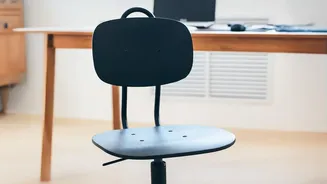
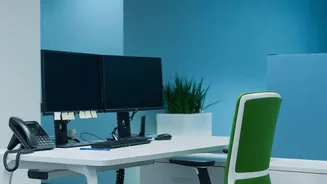
The single most important element of an ergonomic setup is your chair. An ideal chair provides adjustable height and robust lumbar support. Adjust the height so your feet rest flat on the floor with your knees bent at roughly a 90-degree angle, level with or slightly lower than your hips. Your back should rest comfortably against the backrest, which should support the natural inward curve of your lower back. If your chair lacks built-in support, a rolled-up towel or a dedicated lumbar pillow placed at the base of your back can be an effective substitute.
Achieving the Right Angles
Proper alignment isn't just about your back; it's a full-body effort. Your desk height should allow your elbows to form a 90-degree angle when typing, with your wrists resting flat. This prevents you from hunching your shoulders or straining your wrists. Your feet should be flat on the floor or on a footrest, which helps to take pressure off the lower back. Avoid crossing your legs, as this can cause an uneven distribution of weight and misalign your pelvis, adding stress to your lumbar spine.
Elevate Your Gaze, Protect Your Spine
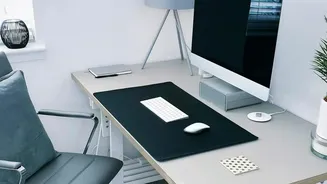
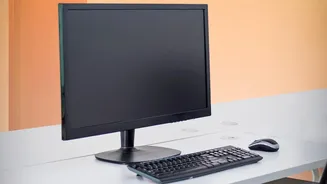
The position of your computer monitor has a direct impact on your entire spinal column. If your screen is too low, you will naturally crane your neck and head forward to see it. This forward head posture increases the load on your neck and upper back muscles, which in turn pulls on and strains the lower back. The top of your monitor should be at or slightly below eye level, and about an arm's length away. This encourages a neutral neck position, which helps maintain healthy posture all the way down your spine.
Movement Is the Best Medicine
Even the most perfect ergonomic setup cannot eliminate the risks of a sedentary work style. The human body is designed for movement, which promotes circulation, keeps muscles flexible, and nourishes spinal structures. Set a reminder to get up, stretch, and walk around for a few minutes at least once every hour. Simple stretches, like gentle spinal twists or reaching for the ceiling, can relieve muscle tension and counteract the stiffness that builds up from prolonged sitting. Alternating between sitting and standing, if you have a standing desk, can also significantly reduce back strain.