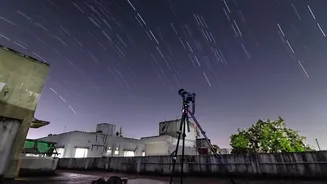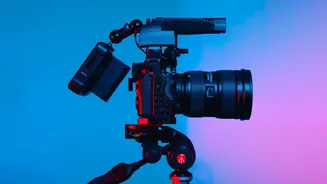




In the world of photography, megapixels get all the glory. But when it comes to creating stunning time-lapses, the unsung hero is a rock-solid tripod. A high megapixel count is great, but even tiny vibrations can ruin an otherwise perfect shot.
The Allure of the Megapixel
Camera
manufacturers love to boast about high megapixel counts, and it's easy to see why. More megapixels mean more detail, larger prints, and greater flexibility for cropping an image. For a single photograph, this can be a significant advantage. A 24- or 36-megapixel sensor captures an incredible amount of information. However, a time-lapse isn't a single photo; it's a video compiled from hundreds or even thousands of still images. While you might start with high-resolution photos, the final output is often a 4K video, which is equivalent to about 8 megapixels. This is where the obsession with resolution can become misleading. The perceived quality of a time-lapse depends far more on the smoothness of its motion than the pixel density of each individual frame.
The Unforgiving Nature of Jitter
The single biggest enemy of a good time-lapse is jitter. These are the tiny, almost imperceptible shifts, vibrations, or bumps that occur between frames. Even on a tripod, factors like wind, footsteps on an unstable surface, or even the mechanical movement of the camera's shutter can cause micro-vibrations. When these frames are played back at 24 or 30 frames per second, those tiny movements are magnified, creating a shaky, distracting, and unprofessional effect. A high-resolution sensor actually makes this problem worse; the more detail you capture, the more obvious any instability becomes. A slightly soft but stable video is always more pleasant to watch than a jittery one that is technically sharper.
Why You Can't Always 'Fix It in Post'
The common refrain is to fix shaky footage using post-production software like Premiere Pro or DaVinci Resolve. These 'warp stabilizer' tools work by analyzing the footage frame-by-frame and then cropping, rotating, and warping the image to counteract the unwanted motion. While they can be lifesavers for handheld video, they are often less effective for time-lapses. The software is designed for footage where frames are fractions of a second apart, not minutes or hours. To smooth out the jitter, the software has to crop into your image, effectively throwing away the extra resolution you worked so hard to capture. In severe cases, this can lead to a 'jelly' or wobbly look, as the software struggles to distinguish intentional changes in the scene from camera shake. Getting it right in-camera is always the superior approach.
Practical Steps for Rock-Solid Framing
Achieving perfect stability isn't about buying the most expensive gear, but about being deliberate in your setup. The foundation is a sturdy tripod. A lightweight, flimsy tripod is a recipe for disaster, especially in windy conditions. If needed, weigh your tripod down by hanging your camera bag from the center column. Secondly, turn off your lens's image stabilization (often labeled IS, VR, or OSS). When on a tripod, this feature can sometimes 'hunt' for motion that isn't there, introducing tiny vibrations. Finally, use an intervalometer or remote shutter release. This prevents you from physically touching the camera to take each shot, which is a major source of movement. Setting a 2-second timer can also work in a pinch. These simple steps form a stronger foundation for your photography than any sensor specification.