






Start With Your Chair: The Foundation
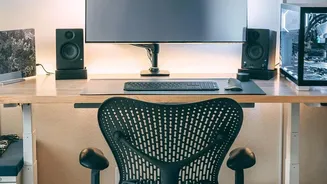
Your chair is the command center of your workspace, and getting it right is the first and most critical step. Begin by adjusting the height. You should be able to sit with your feet flat on the floor, with your knees bent at roughly a 90-degree angle
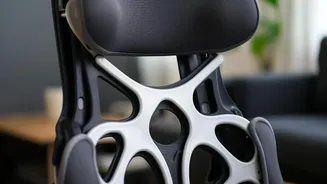
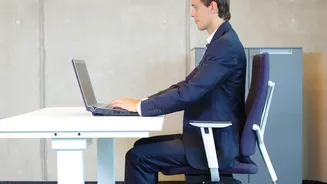
and your thighs parallel to the ground. If your feet are dangling, use a footrest. Next, address the seat depth. Sit all the way back and check the space between the front edge of the chair and the back of your knees; there should be a gap of about two to three fingers. This prevents the seat from cutting off circulation. Finally, adjust the backrest and lumbar support to fit the natural curve of your lower back, providing firm support without forcing you to arch. Your back should be straight with your shoulders relaxed.
Position Your Desk and Armrests
Once your chair is set, turn to your armrests and desk. The goal is to create a 90 to 100-degree angle at your elbows. Adjust your armrests so they lightly support your forearms, allowing your shoulders to remain relaxed. Your shoulders shouldn't be hunched up towards your ears, nor should you be slumping to reach the rests. Your desk height should allow your keyboard and mouse to be positioned at this same elbow height. If your desk is too high, raise your chair and use a footrest. If it’s too low, you can place sturdy blocks under the legs to elevate it. The key is ensuring your wrists remain in a neutral, straight position as you type and work.
Align Your Screen to Eye Level
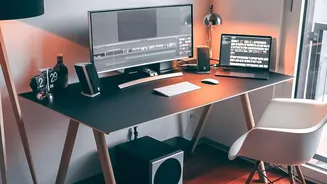
Improper monitor placement is a primary cause of neck and shoulder strain. Position your screen directly in front of you, about an arm's length away. The top of the screen should be at or slightly below your eye level. This setup allows you to look slightly downward toward the middle of the screen, which is a more natural resting gaze. You should not have to tilt your head up or crane your neck down to see your work. If you use a laptop, its fixed screen and keyboard make this difficult. The best solution is to use an external keyboard and mouse, placing the laptop on a stand to raise the screen to the proper eye level.
Arrange Your Keyboard and Mouse
Your keyboard and mouse should be placed close to the front edge of your desk, allowing your elbows to stay near your body. Reaching too far for your mouse can cause strain in your shoulder and arm. Position the keyboard so it's centered with your body. Your hands should be at or just below elbow level, with your wrists straight, not bent up or down. Many experts advise against using the small kickstands on the back of keyboards, as tilting the keyboard up can force your wrists into an unnatural angle. Keeping everything within a comfortable reach minimizes the small, repetitive movements that can lead to musculoskeletal issues over time.
The Best Posture Is Your Next Posture
Even a perfectly ergonomic setup has its limits if you remain static for hours. The human body is designed for motion. Ergonomics experts emphasize that the best posture is your next one, meaning regular movement is just as important as your initial setup. Aim to change your position frequently. Stand up, stretch, and walk around for a few minutes at least once every hour. Simple stretches like shoulder rolls, upper back stretches, and seated spinal twists can relieve muscle tension and improve circulation. An ideal workspace supports your body in a neutral position, but it’s consistent movement that truly prevents stiffness and discomfort.