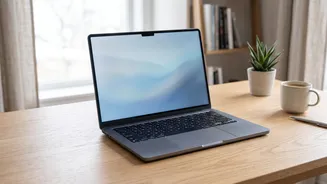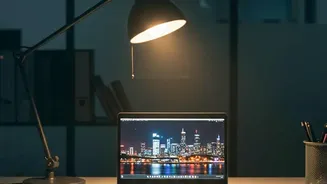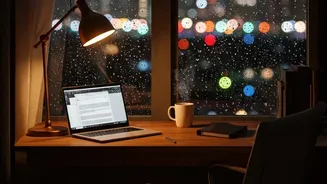



If you end your day with tired, gritty, or strained eyes, you're not alone. Many of us blame the long hours in front of a laptop, but the culprit is often simpler: a mismatch between your screen's brightness and the light in your room.
Understanding Digital Eye Strain
That feeling of
eye fatigue, dryness, headaches, and blurred vision after hours on a laptop has a name: Digital Eye Strain, or Computer Vision Syndrome (CVS). It happens because our eyes have to work harder to focus on digital screens compared to printed text. A major cause is the dramatic contrast between a bright screen and darker surroundings. When your screen acts like a light source in a dim room, your pupils are forced to constantly adjust, leading to muscle fatigue and discomfort.
The 'Just Right' Rule for Brightness
The fundamental principle for eye comfort is to match your screen's brightness to the ambient light in your environment. Your screen shouldn't feel like it's glowing like a lamp, nor should it be so dim that text looks grey and washed out, causing you to squint. A simple way to check is the 'white paper test': hold a sheet of white paper next to your screen. If the white background of a document on your screen is significantly brighter than the paper, your screen is too bright. If it looks dull and grey in comparison, it's too dim. The goal is to make them look as similar as possible.
Brightness in Different Environments
There's no single percentage that works for everyone or every situation. In a brightly lit office or a room with significant daylight, you will need to increase your screen's brightness to maintain readability. In a dimly lit room in the evening, you should lower the brightness considerably. It’s also wise to turn on a soft lamp to illuminate the area around your monitor, which reduces the harsh contrast between the screen and a dark room. Also, try to position your screen perpendicular to windows to avoid direct glare and reflections, which can cause significant eye strain on their own.
Beyond Brightness: Color Temperature
Brightness is only half the battle; the color of the light also matters. Digital screens emit high-energy blue light, which is fine during the day but can disrupt your body's production of melatonin—the sleep hormone—at night. This is why many people find warmer, more yellowish screen tones to be more comfortable in the evening. Most modern operating systems have built_in features to help with this. Windows has 'Night light', and macOS and iOS have 'Night Shift'. These tools automatically reduce the amount of blue light your screen emits after sunset, shifting the display to a warmer part of the color spectrum.
Don't Forget Other Eye-Saving Habits
Perfect screen settings are a great start, but holistic habits provide the best protection against eye strain. Remember to practice the 20-20-20 rule: every 20 minutes, take a 20 second break to look at something at least 20 feet (or 6 meters) away. This simple exercise relaxes the focusing muscles in your eyes. Also, ensure your screen is positioned correctly—about an arm's length away, with the top of the screen at or slightly below eye level. Finally, make a conscious effort to blink more often. We tend to blink less when staring at screens, which can lead to dry, irritated eyes.