








What Are Crowdsourced Maps?
Imagine a map built not by a government agency, but by thousands of fellow travellers. That’s the core idea behind crowdsourced maps. Platforms like OpenStreetMap (OSM) rely on a global community of volunteers who add and verify data—from tiny village
footpaths to hidden waterfalls. When you use an app like Wikiloc or AllTrails, you are often tapping into this rich, user-generated information. Trekkers upload their GPS tracks, add photos, and leave comments about trail conditions. This creates a living, breathing map that is often more detailed and up-to-date for remote areas than conventional options.
The Allure of the Digital Trail
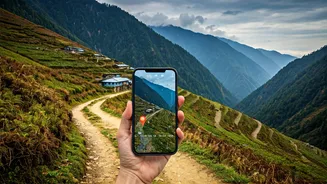
For trekkers in the Western Ghats, these tools are a game-changer. The biggest advantage is discovery. You can find trails that aren’t in any guidebook, leading to secluded viewpoints or pristine streams that only locals and seasoned explorers knew about. These apps allow you to download maps for offline use, which is critical in the Ghats where mobile network is patchy at best. You can follow a previously recorded track in real-time, see your elevation profile, and estimate the time and difficulty based on others' experiences. It’s like having a digital guide in your pocket, offering a layer of information that makes planning more robust and the trek itself more immersive.
Popular Platforms for Indian Trekkers
Navigating the world of trekking apps can be confusing, but a few stand out for their utility in India. * **Wikiloc:** Extremely popular among Indian trekkers. It’s a massive repository of user-uploaded trails with photos and descriptions. Its interface is simple, making it easy to find and follow a route. * **AllTrails:** Known for its curated trail guides and large, active community. It provides difficulty ratings, user reviews, and photos, making it great for discovering popular and well-vetted treks. * **OsmAnd (OpenStreetMap Automated Navigation Directions):** A powerful app for serious navigators. It uses OpenStreetMap data and offers highly customisable offline maps, contour lines for elevation, and detailed topographic information. It has a steeper learning curve but offers unmatched detail. * **Komoot:** Excellent for planning. It allows you to plot a route from scratch, factoring in trail type and elevation, making it ideal for those who like to design their own adventures.
A Word of Caution: Digital Doesn't Mean Foolproof
While empowering, over-reliance on crowdsourced maps carries risks. The data is user-generated, which means it can be inaccurate. A recorded track might lead to a dead end, cross private property, or be dangerously eroded since it was last updated. A route marked 'easy' by an experienced mountaineer could be challenging for a beginner. Furthermore, your phone is your map, and batteries die. A dead phone in the middle of a forest with no backup is a recipe for disaster. These tools are aids, not infallible oracles. They do not replace common sense, preparation, or the value of a local guide, especially in unfamiliar or difficult terrain.
Best Practices for Safe Navigation
To harness the power of these maps safely, follow a few simple rules. First, always download your maps and chosen trail for offline use before you leave home. Second, carry a fully charged power bank—or two. Third, cross-reference your chosen digital trail. Look at satellite views on Google Maps and read multiple reviews to get a complete picture. Fourth, inform someone of your exact planned route and estimated return time. Finally, and most importantly, treat the map as a guide, not a command. Pay attention to your surroundings, watch the weather, and if a trail feels unsafe or doesn't match the map, trust your instincts and be prepared to turn back. Technology is a powerful ally, but your judgment is your best safety tool.