

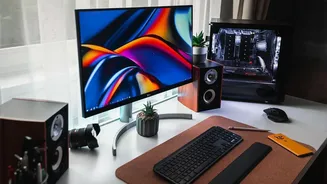

Start with an Ergonomic Foundation
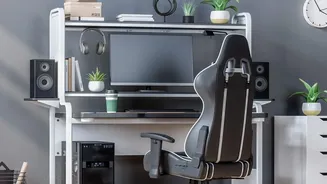
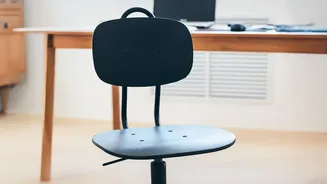
Before you can create a dynamic workspace, you need to get the basics right. The goal of ergonomics is to fit the workspace to your body, not force your body to fit the space. Start with your chair. Adjust its height so your feet rest flat on the floor
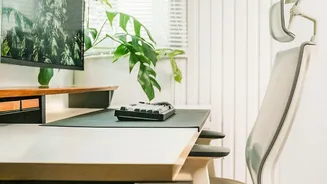
with your knees at or slightly below your hips. Your lower back should feel supported; if your chair lacks lumbar support, a rolled-up towel or a small cushion can work wonders. Your monitor's position is also crucial. The top of the screen should be at or just below eye level, and about an arm's length away. This prevents you from hunching forward and straining your neck. Lastly, your keyboard and mouse should be on the same surface, positioned so your elbows are bent at roughly a 90-degree angle with your wrists straight.
Embrace Dynamic Sitting and Standing
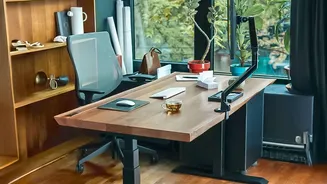
The idea that one static posture is ideal for an entire workday is a myth. Our bodies are designed to move. This is where the concept of dynamic ergonomics comes in. The key is to change positions frequently. If you have a height-adjustable or standing desk, you've got a powerful tool. Try to alternate between sitting and standing every 30 to 60 minutes. Even when sitting, you can be dynamic. Unlock your chair's tilt function to allow for subtle movements and shifts in posture. The goal is to avoid staying in any single position for too long, which can lead to muscle fatigue and stiffness. This constant, subtle movement improves circulation and reduces the strain that comes from prolonged sitting.
Structure Your Space Around Your Routine
A truly effective workspace adapts not just to your body, but to your daily workflow. Think about the tasks you perform most often and organize your space accordingly. Keep items you use daily—like your notebook, pens, and headset—within arm's reach to avoid awkward stretching. Consider creating different 'zones' for different types of work. You might have your primary computer setup for focused tasks, and a more comfortable chair or corner for reading reports or taking calls. If you spend a lot of time on the phone, using a headset or speakerphone is a simple ergonomic win that frees you from cradling the phone between your head and neck. Structuring your environment around your natural habits reduces friction and helps you maintain focus and flow.
Integrate Meaningful Movement Breaks
Even with a perfect setup, prolonged sedentary behaviour has health risks. That's why building movement into your day is non-negotiable. The key is to make breaks short, frequent, and easy to do. Set a timer to remind yourself to get up and move for a few minutes every hour. This could be a quick walk to refill your water bottle, a lap around the office, or simple stretches at your desk. Incorporate the 20-20-20 rule to combat eye strain: every 20 minutes, look at something 20 feet away for 20 seconds. Simple desk exercises like shoulder rolls, neck stretches, and wrist circles can also provide significant relief. The aim isn't to run a marathon during your lunch break, but to consistently interrupt long periods of sitting.
Listen to Your Body's Cues
Ultimately, your body is the best guide to what it needs. Pay attention to its signals. If you feel your shoulders tensing, take a moment to roll them back and down. If your eyes feel tired, it's time for a screen break. If you're feeling sluggish in the afternoon, it might be the perfect time to switch to a standing position to boost your energy. Your energy and focus naturally fluctuate throughout the day, and your work habits can reflect that. Perhaps you do your most intensive, seated work in the morning and save more active tasks, like walking meetings or brainstorming on your feet, for the afternoon. Don't force yourself into a position or routine just because it's recommended; adjust and adapt based on what feels comfortable and productive for you.