



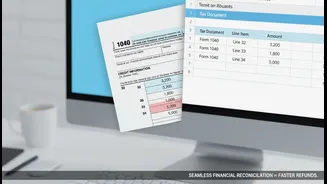




What is 'Challan-Check Season'?
Think of a tax challan as the official receipt for any tax you've paid directly to the government. This includes advance tax paid in instalments, or self-assessment tax paid to cover a shortfall before filing your return. The most common form for this
is Challan 280. 'Challan-Check Season' is the critical period just before the ITR filing deadline—typically July 31st for most individuals—where you must ensure these 'receipts' are properly reflected in the Income Tax Department's records. Filing your return without confirming these payments is like telling the taxman you've paid without showing any proof in their system, which can lead to problems.
Why Verification is Non-Negotiable
When you file your ITR, you claim credit for the taxes you've paid throughout the year. The system automatically cross-references your claim against the data it holds. If the amount you claim doesn't match the tax payments recorded against your PAN, the return will be flagged for a mismatch. This can result in a delayed refund, or worse, an incorrect tax demand notice asking you to pay taxes you have already cleared. Verifying your challans beforehand ensures the tax credit you claim is already acknowledged by the system, leading to faster processing and peace of mind.
Your Tax-Checking Toolkit: Form 26AS and AIS
The Income Tax portal provides two powerful tools to help you verify payments: Form 26AS and the Annual Information Statement (AIS). Form 26AS is your consolidated annual tax statement, often called a 'tax passbook'. It shows all taxes credited to your PAN, including TDS, TCS, and any advance tax or self-assessment tax you've paid. The AIS is even more comprehensive, providing a complete overview of your financial activities reported by various entities, including details on interest, dividends, and securities transactions. Before filing your ITR, you must log in to the e-filing portal and carefully review both these documents to see if your challan payments are listed.
How to Check Your Challan Payments
The process is straightforward. First, log in to the Income Tax e-filing portal. Navigate to the 'e-File' menu, select 'Income Tax Returns', and then 'View Form 26AS'. Download the form for the correct Assessment Year (e.g., AY 2026-27 for income earned in FY 2025-26) and check 'Part C' for details of tax paid by you. Similarly, access your AIS from the 'Services' tab to get a broader view. If a payment is reflected here, you are good to go. You can also use the 'e-Pay Tax' service on the portal to view your payment history, which shows the status of challans generated through the portal. This gives you a complete picture of what the department sees.
Help! My Tax Payment is Missing
Don't panic if a recent payment isn't showing up immediately. It can sometimes take a few working days for the bank to process the payment and for it to reflect in your Form 26AS. However, if a significant amount of time has passed, it could be due to an error. Common mistakes include entering the wrong PAN, selecting the wrong Assessment Year, or an error by the bank. First, re-check your challan receipt for any errors. If you find one, you may be able to submit a correction request through your bank or the jurisdictional Assessing Officer. If the details are correct but the payment is still missing, contact your bank to confirm the transaction status. If a deductor like your bank failed to deposit TDS, you must contact them to file a revised TDS return.
A Final Pre-Filing Checklist
Before you hit 'submit' on your ITR, run through this quick check: 1. Compare Tax Paid: Match the total tax paid as per your calculations with the credits visible in Form 26AS and AIS. 2. Confirm Challan Details: Ensure the Assessment Year and PAN on your challan receipts are correct. An error in the AY is a very common reason for mismatches. 3. Verify All Income: Use the AIS to ensure you haven't missed reporting any income, like interest from a forgotten savings account. 4. File and Verify on Time: Remember that after filing, you must also verify your ITR within 30 days for it to be considered valid. A filed but unverified return is treated as if it was never filed at all.