



Invest in a Waterproof Shield
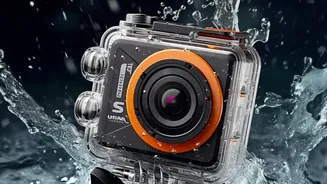
Prevention is always the best strategy, and it starts with physical protection. Before you step out, ensure your gadgets are housed in waterproof or water-resistant gear. For phones and tablets, a simple zip-lock pouch or a dedicated waterproof case can
be a lifesaver. Many modern cases come with built-in plugs to seal charging ports and headphone jacks. For larger items like laptops and cameras, a high-quality waterproof backpack or a dry bag is a worthy investment. These are designed to keep contents dry even during a heavy downpour, giving you peace of mind while you travel. Don't just rely on the standard backpack you use daily; most are not equipped to handle the persistent dampness of the Indian monsoon.
Combat Humidity, the Silent Enemy
Direct rain isn't the only threat; high humidity is a silent culprit that causes significant damage over time. During the monsoon, indoor humidity can rise above 85%, far exceeding the safe operating range for most electronics. This moisture can lead to corrosion, mould on internal components, and short circuits. A simple and cost-effective solution is to use silica gel packets. Place these small desiccant packs in your laptop bag, camera case, and electronics storage drawers. They work by adsorbing ambient moisture from the air, creating a drier micro-environment that protects sensitive circuits. Also, avoid drastic temperature changes, like moving a cold laptop from an air-conditioned room into the humid outdoors, as this can cause condensation to form inside the device.
Guard Against Power Surges
The monsoon season is notorious for unpredictable power fluctuations and electrical surges, often caused by lightning strikes. A sudden voltage spike can instantly fry the sensitive circuits of your laptop, phone charger, or any other plugged-in device. To safeguard your electronics, always use a good quality surge protector. These devices are designed to absorb excess voltage and provide a stable current. During severe thunderstorms, the safest course of action is to simply unplug your expensive gadgets, including TVs, routers, and laptops. Never charge your phone or laptop near an open window or on a damp surface where rainwater might splash in.
Practice Smarter Usage Habits
A few changes in how you use your devices can make a big difference. Avoid taking calls on your phone in heavy rain, as water can easily seep into the earpiece and microphone openings. Using a Bluetooth headset is a much safer alternative, allowing you to keep your phone securely inside a bag. When you're home, ensure your electronics have proper ventilation. Humidity slows down heat dissipation, causing devices to run hotter and wear out faster. Keep laptops, routers, and gaming consoles in a well-ventilated space, with at least 10-15 cm of clearance around them to allow for adequate airflow. Regularly wipe your gadgets with a dry microfibre cloth to remove any accumulated moisture or dust.
Emergency Plan: When Your Gadget Gets Wet
If the worst happens and your phone, camera, or laptop gets wet, do not panic. Act quickly and methodically. First and foremost, turn the device off immediately and do not attempt to charge it or press any buttons. This helps prevent an electrical short circuit. Remove any accessories, including the case, SIM card, and memory card. Gently wipe the exterior with a soft, dry cloth, and tap the device with the port facing down to encourage water to drain out. Resist the urge to use a hairdryer, as excessive heat can cause more damage. Despite popular belief, putting your phone in a bag of uncooked rice is not the best solution; rice dust can get into ports and cause more harm. Instead, place the device in a sealed container with silica gel packets for 24-48 hours to effectively absorb the moisture.