




Go Beyond Counting the Fingers
The classic advice to 'count the fingers' is becoming outdated. While early AI models famously struggled with hands, often adding extra digits or creating warped limbs, newer versions have improved significantly. You might still spot anatomical errors
like mismatched earrings, unnaturally long necks, or joints that bend the wrong way, but these mistakes are less common. Instead of just looking for obvious body horror, you now need to examine the whole picture with a more critical eye. Look for faces that are just a little too symmetrical, eyes that have a lifeless or glassy look, or skin that appears unnaturally smooth and poreless, like it's been digitally airbrushed.
Check the Physics: Light, Shadows, and Reflections
One of the more reliable giveaways is something AI still struggles with: the basic laws of physics. Look closely at the lighting and shadows in an image. In a real photo, shadows should fall consistently, directed away from the light source. AI images often feature shadows that fall in different directions, or an object might have no shadow at all. Reflections are another weak spot. A reflection in a mirror, a pair of sunglasses, or a puddle might show something completely different from what should be there. These inconsistencies break the reality of the scene, even if you can't immediately put your finger on why the image feels 'off'.
Examine the Background and Fine Details
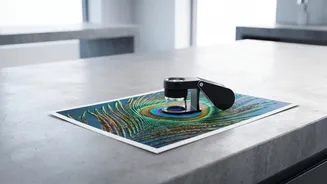
AI generators are often lazy when it comes to backgrounds. While the main subject might be sharp, the background can be a messy blend of 'melting' objects, repeating patterns, or blurry, nonsensical shapes. Zoom in on textures like brick walls, fabric, or foliage. You might notice patterns that repeat in an unnatural way. AI also remains notoriously bad at rendering text. Words on signs, book covers, or logos often appear as garbled, misspelled, or imitation characters. If you see any text in an image, inspect it closely, as it’s one of the strongest remaining clues.
Look for the 'Too Perfect' Vibe
Sometimes, the biggest clue is an absence of imperfection. Real life is messy. Real photos have stray hairs, wrinkles on a shirt, and slight asymmetries. AI-generated images often have a sterile, overly polished quality. The composition might be too perfect, the lighting too cinematic, and the subjects flawlessly beautiful. This hyper-realism can create an uncanny feeling. If an image looks more like a high-end video game still or a perfect stock photo, it’s worth a second look. The lack of authentic, spontaneous details is often a sign that a human didn't capture the moment.
Don't Just Trust Your Eyes, Verify the Source
Ultimately, visual inspection alone is no longer enough. The most important step is to question the context of the image. Ask yourself: Where did this image come from? You can use a reverse image search tool like Google Lens or TinEye to see if the image has appeared elsewhere online. This can reveal if it's an old photo being used in a new, misleading context or if it has been debunked by fact-checking organizations. Some companies like Google, Adobe, and Microsoft are also pushing for 'Content Credentials', a kind of digital watermark that shows an image's origin and whether it was made with AI. These tools are not yet universal, but they represent a crucial step toward transparency.
Should You Use an AI Detection Tool?
There are many online tools that claim to detect AI-generated images, but their reliability is highly questionable. Tests have shown that these detectors can be easily fooled, sometimes flagging real photos as AI-generated and vice-versa. They can be particularly unreliable with images that have been compressed or screenshotted, which is common on social media. While some professional-grade detectors report high accuracy, the free tools available to the public are often not dependable enough to be your only source of verification. Think of them as one possible clue among many, not as a final verdict.