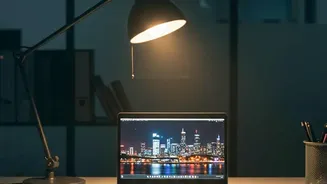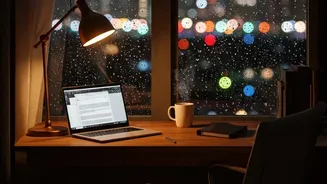




If you end your day with tired, achy, or dry eyes, you're not alone. Many of us overlook a key culprit behind this discomfort: the brightness of our laptop screens. Finding the right balance can dramatically improve eye comfort.
Understanding Digital Eye Strain
That feeling of eye fatigue,
blurred vision, and even headaches after hours on a digital device has a name: digital eye strain, or computer vision syndrome. It happens because our eyes work harder when looking at screens compared to a printed page. One of the biggest factors is the contrast between your bright screen and the lighting in your room. If your screen is a bright beacon in a dark room, or a dim panel in a sunny space, your eyes are forced to constantly readjust, leading to muscle fatigue.
The Goal: Match Your Environment
The single most effective rule for setting your screen brightness is to match it to the ambient light around you. Think of your screen as a piece of paper. In a well-lit room, hold a white sheet of paper next to your screen. If the screen glows like a light source, it’s too bright. If it appears grey and dull, it’s too dim. The goal is to make the screen's white background blend in with the brightness of the paper. This simple test ensures your eyes aren't fighting unnecessary contrast.
How to Manually Adjust Your Screen
Both Windows and macOS make it easy to change brightness levels manually. On most laptops, you can find dedicated brightness keys on the function row of your keyboard, often marked with a sun icon. You can also find a brightness slider in the Action Center (Windows) or Control Center (macOS). Getting into the habit of making small adjustments as your room's lighting changes—for example, as the sun sets—can make a significant difference. Don't be afraid to take manual control to find what feels most comfortable.
Beyond Brightness: Managing Blue Light
In the evening, another factor comes into play: blue light. The blue-wavelength light emitted by screens can suppress melatonin, the hormone that regulates sleep, potentially making it harder to fall asleep. To combat this, operating systems include features like 'Night Light' in Windows and 'Night Shift' in macOS. These tools automatically shift your screen's colour temperature to warmer, yellower tones after sunset, which can reduce blue light exposure and may ease eye strain in the evening.
Holistic Habits for Eye Health
Proper screen brightness is crucial, but it works best as part of a complete approach to eye comfort. Remember to follow the '20-20-20' rule: every 20 minutes, take a 20 second break to look at something at least 20 feet away. This allows the focusing muscles in your eyes to relax. Also, position your screen about an arm's length away, with the top of the screen at or just below eye level, and try to minimize glare from windows or overhead lights. Consciously blinking more often can also help prevent dry eyes.