




Start With Your Chair: The Foundation
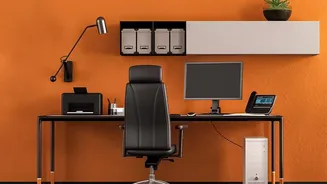
Your chair is the most critical piece of the ergonomic puzzle. Before you worry about anything else, get your seating right. Adjust the height so your feet are resting flat on the floor, with your knees bent at roughly a 90-degree angle. There should
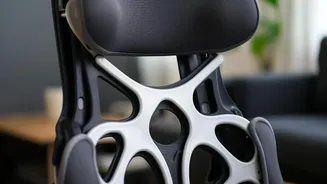
be a small gap, about two to three fingers wide, between the back of your knees and the edge of the seat. Most importantly, focus on lumbar support. Your spine has a natural inward curve in the lower back, and your chair should support this. Adjust the chair’s lumbar mechanism or use a small cushion so it fits snugly into the small of your back, at about belt level. This single adjustment prevents you from slouching and flattening your spine, which is a major source of pressure and pain.
Align Your Monitor to Your Eyes
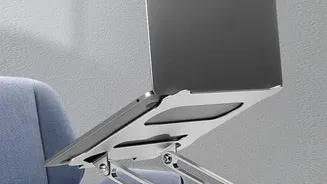
Hunching forward or craning your neck to see your screen is a direct path to back and shoulder pain. The rule is simple: the top of your monitor should be at or slightly below your eye level. This allows you to look slightly downward toward the center of your screen, which is a more natural position for your eyes and neck. The monitor should be about an arm's length away from you. If you sit back and extend your arm, your fingertips should almost touch the screen. If you use a laptop, the screen is almost always too low. The best solution is to use an external keyboard and mouse, and place your laptop on a stand or a stack of books to raise the screen to the proper height.
Position Your Keyboard and Mouse
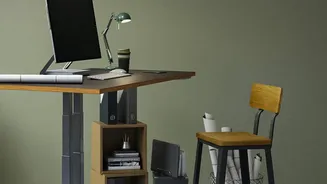
Your desk height, keyboard, and mouse placement directly impact your shoulder and wrist posture, which can create tension that travels to your back. The goal is to keep your elbows bent at a comfortable 90-degree angle, with your forearms parallel to the floor or angled slightly down. Your shoulders should be relaxed, not shrugged up towards your ears. Place the keyboard directly in front of you and close enough that your elbows can stay near your body. The mouse should be right beside the keyboard on the same level, so you don't have to constantly reach or stretch your arm, which puts strain on your shoulder.
Get Your Feet on Solid Ground
This may seem like a minor detail, but it’s crucial for stability and proper spinal alignment. Your feet should rest flat on the floor. If your chair is adjusted to the correct height for your desk but your feet are dangling, use a footrest. Having your feet firmly planted helps maintain the natural curves of your spine and prevents you from shifting into awkward, unsupported positions. This simple step ensures your entire body is stable, taking unnecessary strain off your lower back as it works to keep you upright throughout the day.
Remember to Move
Even the most perfect ergonomic setup has its limits. The human body isn't designed to stay in one static position for hours on end. Medical experts recommend incorporating movement into your workday to reduce pressure on your spinal discs and keep muscles from getting stiff. Set a reminder to get up, walk around, and do some simple stretches every 30 to 60 minutes. Simple actions like a gentle backbend while standing, a neck stretch, or a quick walk to get water can make a significant difference. Movement is just as important as your setup for preventing back pain.