


What Is an Applicant Tracking System?
An Applicant Tracking System, or ATS, is software used by a vast majority of companies, including nearly all Fortune 500 firms, to manage the hiring process. Think of it as a digital filter for recruiters. When you apply for a job, the ATS is the first
to 'read' your resume. It scans your CV, extracts information, and sorts it into categories like skills, experience, and education. Then, it ranks your application based on how well your resume matches the keywords and criteria in the job description. If your CV isn't formatted correctly or lacks the right keywords, it might be automatically rejected before a human ever sees it. Studies show this happens to a large percentage of qualified candidates.
AI: Your Secret Weapon Against the Bots
This is where Artificial Intelligence comes in. AI-powered resume builders and optimisation tools are designed specifically to beat the ATS. They can analyse a job description in seconds, identify the most crucial keywords, and help you integrate them naturally into your resume. For freshers who may not have extensive experience, this is a game-changer. AI can help you frame your academic projects, internships, and skills in a way that directly speaks to what the employer and their ATS are looking for. These tools generate tailored versions of your resume for different roles, maximising your chances of passing the initial scan.
Hack 1: Master Keywords with AI
The single most important factor for beating an ATS is keyword optimisation. The system looks for direct matches between the job description and your resume. Manually, this is tedious. AI tools automate this process. Platforms like Jobscan, Teal, and Resume.io allow you to paste a job description, and they will analyse your CV against it, providing a match score. They highlight keywords you've missed, from hard skills like “SQL” or “Python” to soft skills like “teamwork” or “leadership”. Your goal isn't to stuff your resume with these words. Instead, use the AI's suggestions to naturally weave these exact phrases into your summary, experience descriptions, and skills section.
Hack 2: Perfect the ATS-Friendly Format
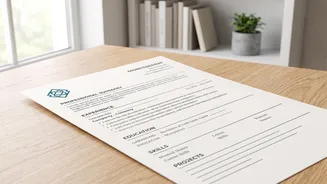
Creative resumes with fancy graphics, columns, or tables might look impressive to the human eye, but they often confuse an ATS. The software can fail to parse, or read, information in text boxes, headers, footers, and complex layouts. This can lead to your contact details or entire sections of your experience being missed. An AI resume builder will typically default to a clean, single-column format that is easy for the software to read. Use standard, web-safe fonts like Arial, Calibri, or Georgia. Also, use standard section headings like “Work Experience” and “Education” instead of creative titles like “My Journey”.
Hack 3: Use AI to Write Achievement-Focused Points
For freshers, it's easy to list responsibilities instead of achievements. AI tools can help rephrase your experiences to be more impactful. Instead of saying “Responsible for social media posts,” an AI tool might suggest, “Grew social media engagement by 15% over three months by developing a content calendar and tracking analytics.” This shift from passive duties to active, quantified accomplishments is crucial. Many AI platforms have built-in features that rewrite your bullet points, helping you demonstrate your value even with limited professional experience. This makes your resume more compelling for both the ATS and the human recruiter who will eventually read it.
Putting It All Together: A Quick Guide
First, select an AI resume tool. Options like Kickresume or Rezi are often cited as being user-friendly for freshers. Start with a base resume that includes all your information. Next, for every job you apply for, copy the job description into the tool's analyser. Use the keyword suggestions to tailor your professional summary and skills section. Let the AI help you rephrase your internship or project bullet points to highlight results. Finally, ensure the tool generates the resume in a compatible file format, like .docx or a text-based PDF, as some older ATS have trouble with PDFs. Always proofread the final output; AI is a powerful assistant, not a replacement for your final review.