






The End of Inefficient Note-Taking
Meetings are essential for collaboration, but the administrative tasks that come with them can be a significant drain on productivity. Manually taking notes divides your attention, making it harder to actively participate in the discussion. Key decisions,
action items, and crucial details can be missed or incorrectly recorded. Afterwards, someone has to decipher messy handwriting or quickly typed notes to create a coherent summary. AI meeting assistants are designed to eliminate this administrative burden. These tools act as a dedicated note-taker for every meeting, freeing up all participants to focus completely on the conversation.
How Does the Magic Work?
It’s not magic, but sophisticated technology. At their core, these tools use artificial intelligence, specifically automatic speech recognition (ASR), to convert spoken language into written text in real time. But they go far beyond simple transcription. Using natural language processing (NLP), the AI can identify different speakers, understand the context of the conversation, and then automatically generate concise summaries that highlight the key points. They can also pinpoint and list action items, decisions made, and important questions asked, turning a long conversation into a structured, searchable document.
For Seamless Integrations: Fireflies.ai
Fireflies.ai is a popular choice for teams that want their meeting assistant to work across their entire software suite. It integrates with dozens of platforms, including major video conferencing tools like Zoom, Google Meet, and Microsoft Teams, as well as project management apps and CRMs like Salesforce. Its key strength lies in automation; after a meeting, it can automatically create tasks in your project manager or log call notes in your sales CRM. With support for over 100 languages and a strong focus on data privacy, it’s a powerful option for global and security-conscious teams.
For Real-Time Transcription: Otter.ai
Otter.ai is one of the most well-known names in this space, praised for its clean interface and excellent real-time transcription capabilities. During a virtual meeting, participants can watch the transcript appear live, which is helpful for catching details or for those who may have hearing impairments. While it has historically been English-focused, it has expanded its language support. Otter is particularly strong in its integration with Zoom, offering features like live captions within the call. It's a great starting point for individuals or teams who primarily need accurate, live notes from their online meetings.
For In-Person Huddles: A New Breed of Tool
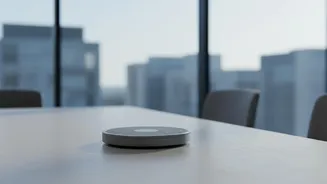
The "office huddle" part of the hybrid work model presents a different challenge, but AI tools are adapting. Many modern assistants now offer mobile apps that can be used to record and transcribe in-person conversations. You can place a smartphone on the conference room table, and the app will capture the discussion just as a bot would in a virtual meeting. Some tools also work without a 'bot' joining the call, instead using a local app on your computer to capture audio from any source, making them ideal for both online and offline meetings without notifying every participant that an AI is listening.
A Word on Privacy and Best Practices
The convenience of AI note-takers comes with significant privacy considerations. When you use these tools, you are sharing conversation data with a third-party company. This can include sensitive business strategy, personal information, or confidential client details. It's crucial to understand how a provider uses your data; some may use it to train their AI models. For this reason, transparency is key. Always inform all meeting participants that an AI assistant is being used to record and transcribe the conversation. Many organisations and universities have even created specific policies to govern the use of these tools to mitigate legal and privacy risks.